
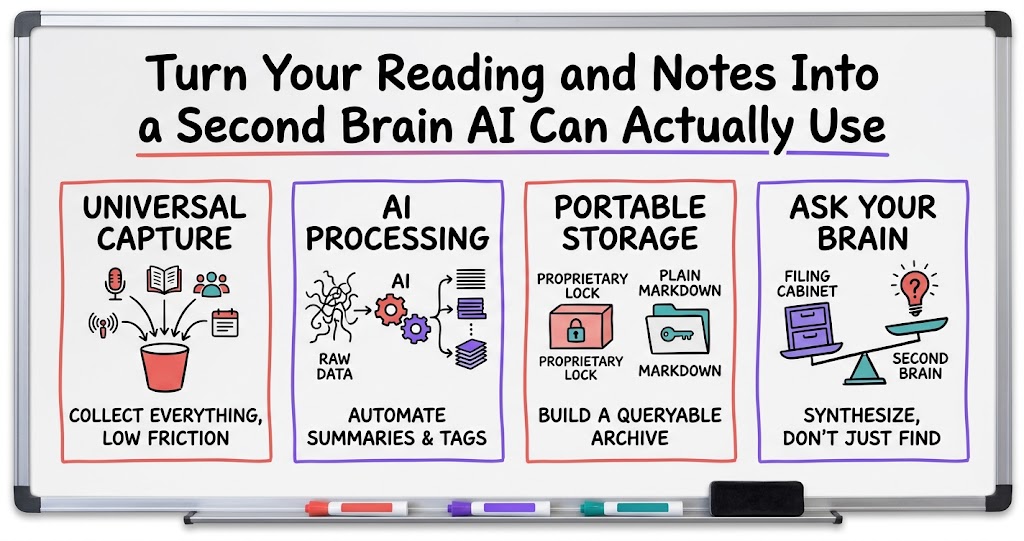
Turn Your Reading and Notes Into a Second Brain AI Can Actually Use
A practical, four-step framework for building a personal AI knowledge system, capture, process, store, query, so your reading, notes, and meetings become something you can actually search and reuse instead of a pile you never revisit.

Most founders I know are drowning in input. Podcasts, books, articles, calls with the team, notes from customer conversations, all of it goes in and almost none of it comes back out when you actually need it. One founder in our mastermind has been working on the opposite problem: building a system where everything he reads and writes gets captured, processed by AI, and stored somewhere he can query later, essentially a second brain that an AI assistant can actually use, not just a folder of files that looks organized but isn't.
Why this matters more now than it did two years ago
Note-taking apps have existed for a long time, and most of us have a graveyard of half-used ones. What changed is that AI can now read across all of it at once and actually do something with it. You're no longer just filing notes away for a future version of yourself who probably won't remember to look for them. You can ask a question and have the system pull the answer from everything you've ever written, clipped, or transcribed, which makes the point retrieval rather than storage: a tidy archive was never the goal, being able to ask a real question and get a real answer back is. It also compounds, since every article, call, or note you add makes the next query a little more useful, so the system gets more valuable the longer you keep feeding it. And it closes the loop on reading in a way nothing else has, because most of what founders read never gets used again, while a queryable system turns passive reading into something you can actually act on later. That's a different kind of value than just being organized, it's being able to think with your own accumulated knowledge instead of just storing it.
That's the promise, and it's real, but it's also easy to overbuild. The founder in our mastermind described the process as genuinely dizzying once you start connecting multiple tools together, and that's a fair warning. The framework below is meant to keep you from falling into that trap: four stages, capture, process, store, query, that you can build one at a time instead of trying to wire everything together on day one.
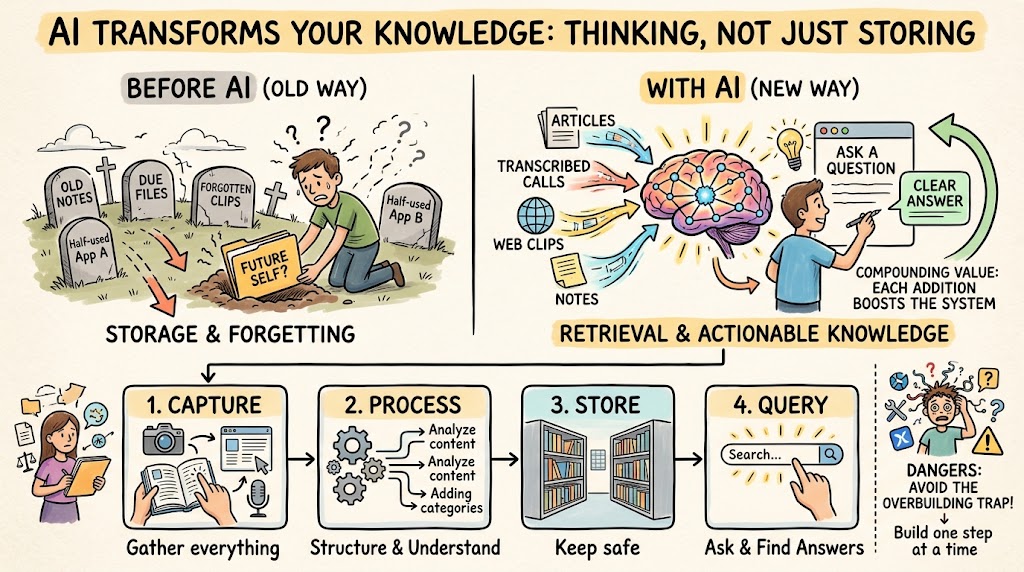
Capture: get everything into one place before you worry about structure
The first step is just getting your inputs somewhere you control, before you think about tagging, folders, or AI processing at all. A web clipper browser extension is a good example, it pulls in articles and pages you're reading as you browse, so you're not relying on memory or a bookmark you'll never revisit. Podcasts are trickier because they're audio, so a podcast-clipping app that pulls specific segments and transcribes them solves a real problem, you get the idea from the episode without having to relisten to an hour of audio later to find the two minutes that mattered. The goal at this stage isn't perfection, it's just reducing the friction between consuming something and having a record of it.
- Clip as you read. A web clipper extension saves the actual content of a page, not just a link you'll never click again.
- Transcribe what you listen to. A podcast-clipping tool turns audio into searchable text, which is the only format AI can actually query.
- Don't skip meetings and calls. Recorded team meetings or customer calls are some of the richest, most specific material you have, and most founders never capture them at all.
- Keep the barrier low. If capturing something takes more than a few seconds, you'll stop doing it within a week.
Notice that none of this requires deciding on your final system yet. You're just building the habit of capturing rather than letting good material evaporate. Get that habit solid first, because a sophisticated storage system fed by nothing is worse than a simple one you actually use.
Process: let AI do the sorting work you'd never do by hand
Once material is captured, it needs to be turned into something usable, and this is where AI actually earns its keep. The founder in our mastermind runs his captured material, organized by year, through an AI coding tool that can process the sources and make changes to the underlying markdown files directly. That's a more technical setup than most founders need, but the underlying idea generalizes well: don't manually summarize, tag, and file every article and transcript yourself. Let an AI model read the raw material and produce the structured version, the summary, the key quotes, the themes, so your time goes into using the material instead of formatting it.
- Summarize on the way in. Have AI generate a short summary and a few key takeaways for every captured item, so you don't have to reread it cold six months later.
- Tag by theme, not just by source. A note tagged by topic (pricing, hiring, churn) is far more useful later than one just labeled by where it came from.
- Let AI query it too. The same tool that processes new material in should be able to answer questions from everything already stored.
- Keep source dates visible. Organizing material by year, like this founder does, matters more than it sounds. Old advice on pricing or hiring can be stale, and knowing when something was said helps you weigh it correctly.
This is also where the earlier tip from the same discussion applies more broadly than its original use case. One member's engineer records team meetings and runs reduced-frame-rate screenshots through AI to support testing and writing user stories. The same instinct, record it, process it with AI, don't rely on memory, works just as well for your own reading and thinking. You don't have to build anything nearly that elaborate to get the benefit. Even routing a handful of your best notes and call transcripts through an AI summarizer each week gets you most of the value.
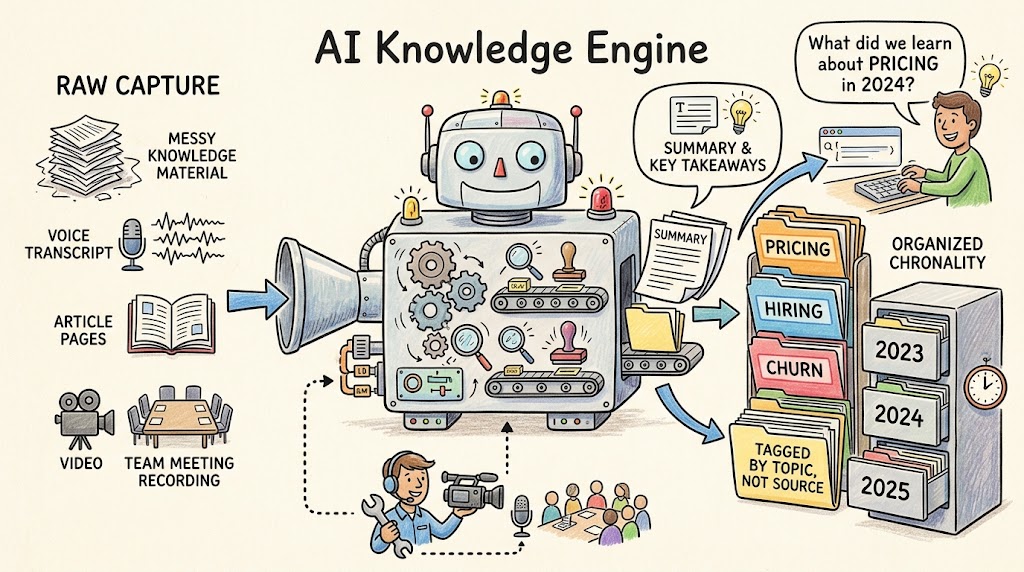
Store: pick a structure you can actually query later
This is the part where founders tend to overthink it. There's a real, and growing, category of tools built for exactly this: open-source note-taking tools that function as alternatives to the popular commercial options, cloud storage set up with the right folder structure, or a dedicated knowledge-base or wiki tool. Every one of these has tradeoffs. Some want to sync everything locally, which is great for privacy and AI processing but adds setup friction. Some are built for team wikis and get clunky for a single person's running archive. There is no single right answer, and honestly, most of them will work fine if you actually use them consistently.
- Plain text and markdown travel well. If your notes live as markdown files rather than locked inside one app's proprietary format, you can move them or run new AI tools against them later without a painful export.
- Local sync has real tradeoffs. It gives AI tools direct file access, which is powerful, but it means one machine (or a careful backup habit) becomes a single point of failure.
- Don't run two systems at once. Splitting your notes between a wiki tool and a note-taking app just recreates the original problem of scattered, unsearchable information.
- Pick one home and commit. The value of a second brain comes from consolidation. A system that's 80% complete and actually used beats a perfect one still being designed.
If you're choosing between options right now, bias toward whichever one an AI tool can read directly, meaning plain files it can open and search, rather than a system you'd have to export from every time you want to ask a question. That single choice will save you the most pain a year from now.
Query: make the system answer questions, not just hold files
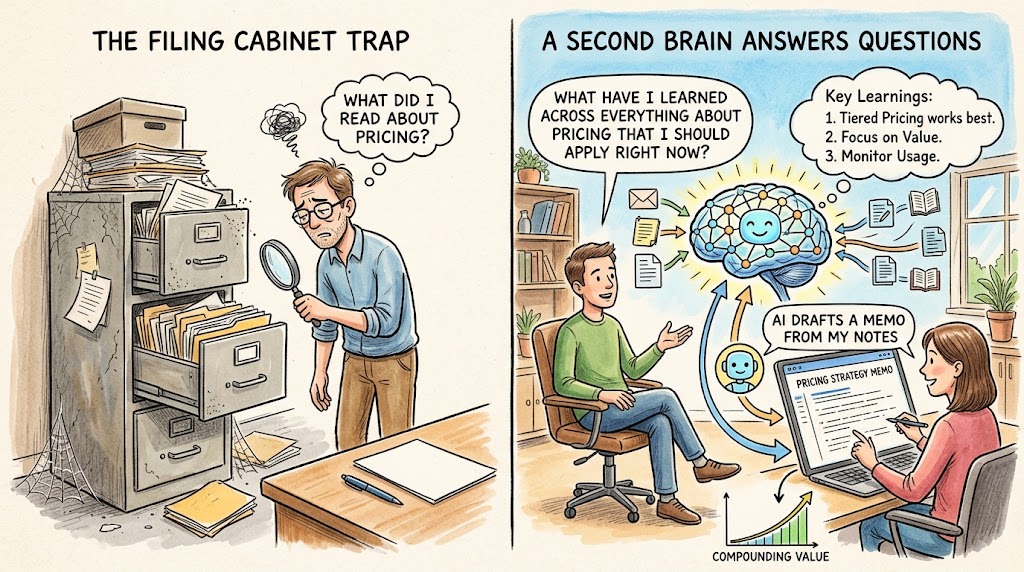
The entire point of building this is the querying, so don't skip past it to focus only on capture and storage, which is the easy trap since those feel more like tangible progress. Start asking real questions early rather than waiting until the archive feels complete, so you find the gaps while they're still small. The useful query also isn't "what did I read about pricing," it's "what have I learned across everything about pricing that I should apply right now," which means asking the system to synthesize instead of just find. The founder in our mastermind described being able to query his archive and have the AI make changes to the underlying files directly, which is the real payoff: if your tool can edit or draft straight from your notes, like producing a first pass of a memo from your own past thinking, that's where the time savings really show up. You're not searching for a document, you're having a conversation with everything you've read and written. That's the difference between a second brain and a filing cabinet. A filing cabinet holds things. A second brain answers questions.
Once querying works, the whole system starts to compound the way it's supposed to. Every new capture makes the answers a little sharper, and the habit of asking your own archive a question before starting from scratch becomes second nature.
Start small and watch the cost
Two warnings worth taking seriously before you go build all of this, and a couple of habits that keep both in check. First, it's genuinely easy to end up with more tools than you can maintain. The founder building this system out loud in our mastermind admitted it gets dizzying fast once you're stitching together a clipper, a podcast tool, a coding assistant, and a storage layer, and he's still working out how to consolidate it into fewer moving pieces rather than more. The fix is to build one stage at a time: get capture working and used for a few weeks before you add processing, and get processing solid before you obsess over storage structure, and to consolidate tools on purpose, since every additional app is another sync point that can break and fewer tools done well beats more tools half-configured. Second, AI tools that process a lot of material can get expensive quickly if you're not paying attention. The same discussion touched on a separate email-processing tool running about two thousand dollars a month, which is a useful reminder that automation has real ongoing cost, not just a one-time setup. Tools billed by usage or by seat can add up fast when you're running large volumes of text or audio through them every month, so it's worth revisiting the stack quarterly. What's dizzying today often simplifies naturally as fewer, better tools cover more of the workflow, and you shouldn't be afraid to cut a tool that isn't earning its cost.
None of this needs to be built perfectly on day one. Start with capture, add a simple processing step, store it somewhere plain and portable, and get in the habit of actually asking it questions. That's a real second brain, and it's one you'll actually use, which is worth more than a sophisticated one that sits idle.