The Hidden Cost of Not Triaging Your Inbox with AI
Founders lose hours a week to inboxes mixing personal noise with business gold. Here's how one mastermind member built an AI system that auto-sorts, memorizes, and deletes, and why it beats native email integrations.

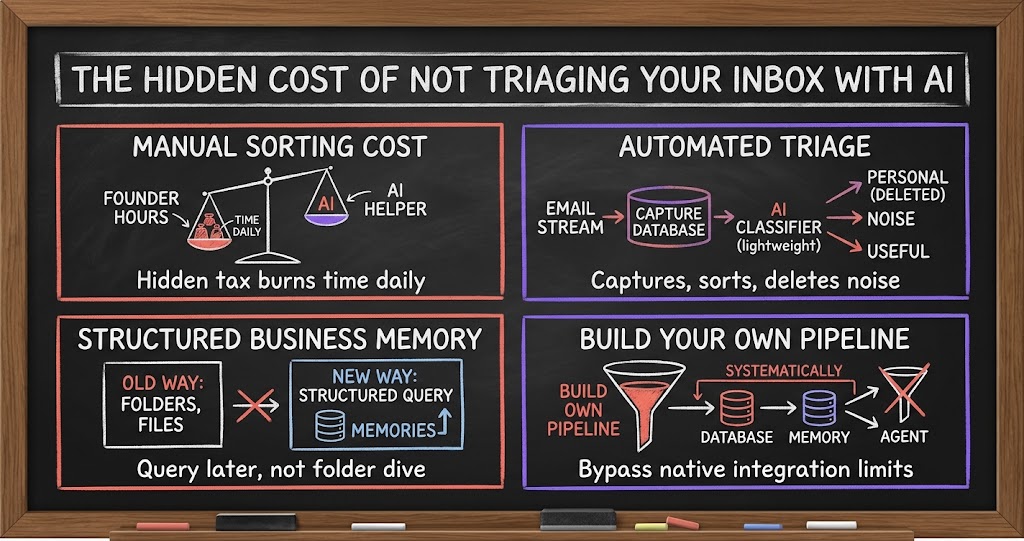
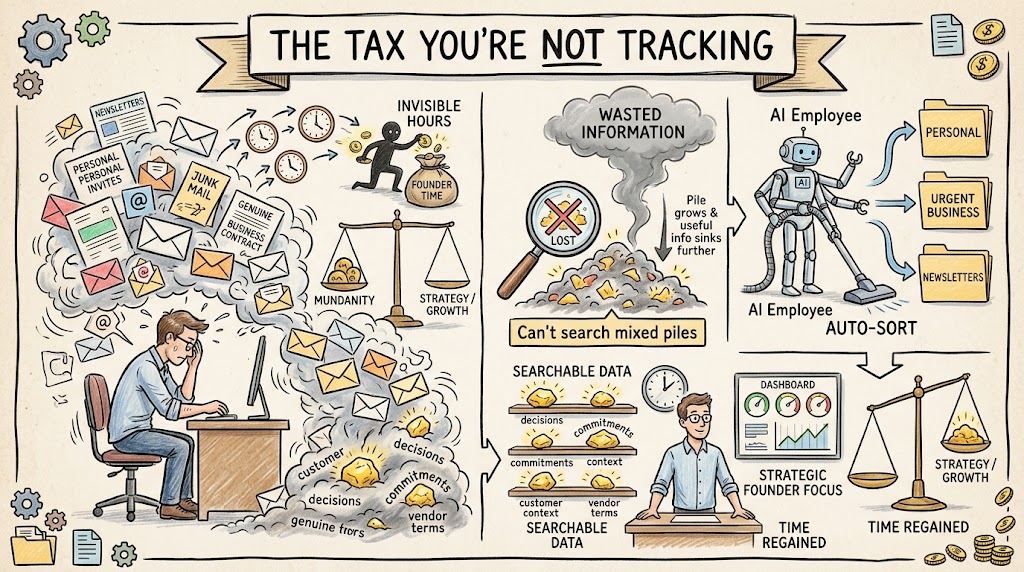
If you added up every minute you spend this week just deciding what an email is, not answering it, just deciding whether it's worth answering, you'd probably be uncomfortable with the number. That decision happens dozens of times a day: is this personal or business, is this something I need to remember, is this junk I can archive and forget. Most founders never account for that cost because it doesn't show up as a line item anywhere. It just quietly eats the first hour of every morning.
The tax you're not tracking
We got into this topic in a recent mastermind session framed around AI tool best practices, specifically how founders are using AI employees to handle the parts of running a company that used to require a human doing repetitive judgment calls. Email triage turned out to be one of the clearest examples on the call, because almost every founder in the room does some version of the same manual sorting every day, and almost none of them had thought to treat it as a process worth automating. Part of why it slips through the cracks is that it's invisible, no dashboard tracks hours lost to inbox triage, so it never gets prioritized for a fix. It's also constant, repeating dozens of times a day instead of showing up as a task you can schedule around, and it's low-value work being done by a high-value person, since sorting personal from business email doesn't actually need a founder's judgment even though it usually gets one anyway. Worse, it compounds: a cluttered inbox doesn't just cost time, it also means useful business information gets buried or lost entirely. It's the kind of task that's individually small and cumulatively enormous, which is exactly the profile of work AI is good at taking off your plate.
The deeper problem isn't just wasted time, it's wasted information. Your inbox is full of decisions, commitments, customer context, and vendor terms that would be genuinely useful if you could find them later. But if everything sits in one undifferentiated pile, personal calendar invites next to a contract negotiation next to a newsletter you never unsubscribed from, that useful information is functionally the same as if it didn't exist. You can't search for what you can't distinguish.
What a real triage system looks like
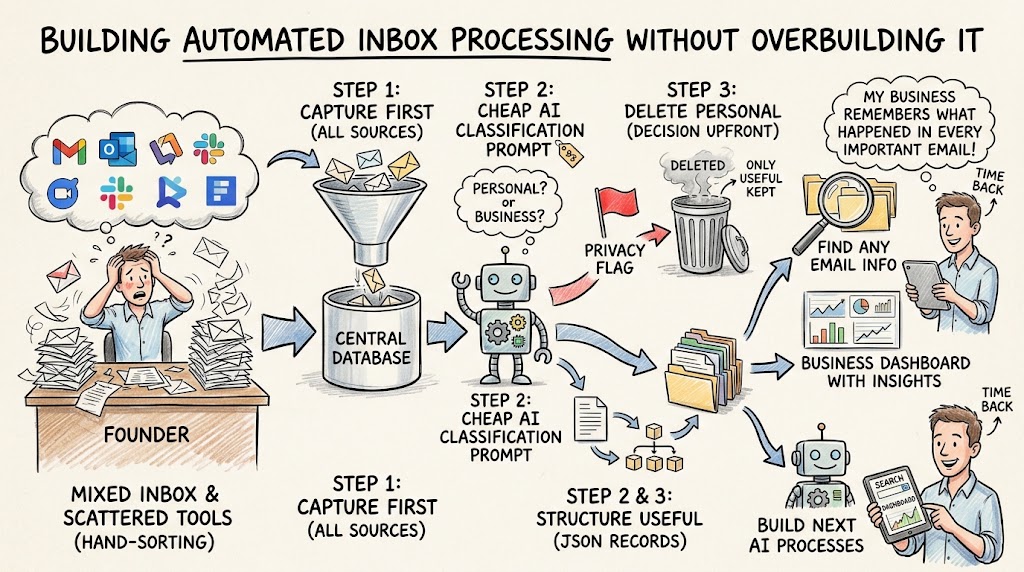
One founder in our mastermind, who runs an AI-native outbound and services company, described a system he built to solve exactly this. Every email in the company goes into a database first, before anyone reads it. From there, a cheap AI model runs over the incoming messages and classifies each one along two lines: is it personal or is it business, and if it's business, is it actually useful. That second question matters as much as the first, because plenty of business email is just noise too, a shipping confirmation isn't the same as a signed agreement.
- Everything lands in a database first. Email isn't triaged inbox by inbox, it's captured centrally so it can be processed systematically.
- A cheap model handles classification. You don't need a frontier model to answer 'personal or business, useful or not.' A lightweight classifier is fast and cheap enough to run on everything.
- Useful business email becomes a memory. Anything flagged as useful gets converted into a structured record the company can actually query later.
- Personal email gets deleted. Once it's classified as personal, it's removed from the database entirely, rather than sitting around as a liability.
What makes this different from just having a smart inbox is the deletion step. Most people think about AI email tools as sorting or summarizing, but this founder built deletion into the workflow on purpose. The AI doesn't just decide what to keep, it decides what shouldn't be sitting in a company system at all. That's a meaningfully different design goal: instead of asking "how do I organize everything," it asks "what actually belongs here in the first place."
Turning email into memory instead of clutter
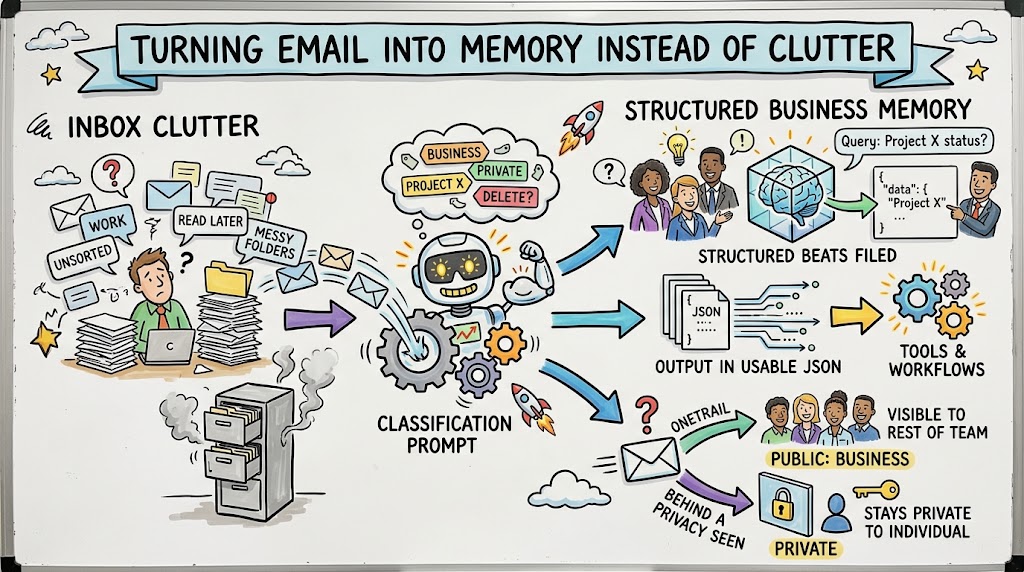
The part of this system worth paying attention to is the word memory. Once something is classified as useful, it doesn't just get labeled and left in an inbox folder, it gets converted into structured, queryable information the business can draw on later. That's a fundamentally different outcome than the folder-and-label systems most of us grew up using. A folder still requires you to remember the folder exists, to remember roughly when you filed something, and to manually dig through it. A memory system means you can just ask a question and get the answer, the way you'd ask a colleague who happened to read every email that ever came through the company.
- Structured beats filed. A database record you can query beats a folder you have to remember to search.
- The classification prompt does the heavy lifting. A simple prompt, run consistently, decides what gets kept and how it's tagged, no manual rules engine required.
- Output comes back in a usable format. Classified email gets returned as structured data, like JSON, that other tools and workflows can act on directly.
- Privacy gets classified too. The same AI step can flag what should stay private to an individual versus what should be visible to the rest of the team.
That last point came up when another founder on the call pushed for more detail on how the system worked in practice, and it's worth sitting with. Privacy isn't an afterthought bolted onto the classifier, it's one of the same judgment calls the AI is already making. If a model can tell personal from business, it can also tell what a team member would reasonably want kept between them and a specific contact versus what the whole team should be able to see. You get access control as a byproduct of the same process that's already doing the sorting, instead of a separate system you have to build and maintain.
Why agent-per-mailbox setups run into walls
A natural question came up next: why not just set up an AI agent for each mailbox, have it read incoming email, archive what's useful, and extract information as it goes? It sounds simpler, and for a while it works fine. But the founder running the database-first system pointed out the real limitation of relying on native email integrations directly: they come with limits. You can't easily browse across the full history of a mailbox that way. The integration is built to handle the stream of new mail coming in, not to let you treat years of accumulated messages as a searchable archive.
- Native integrations are built for the stream, not the archive. They're designed to process new mail as it arrives, not to give you full historical access.
- Rate and access limits bite eventually. The deeper you try to go into mailbox history, the more you run into the platform's own constraints.
- You don't own the pipeline. If the classification and extraction logic lives inside someone else's integration, you can't easily change how it works or move it elsewhere.
- Per-mailbox agents don't share context. An agent reading one inbox in isolation misses patterns and connections that only show up when everything sits in one place.
This is really a build-versus-rent decision, the same one founders face with plenty of other infrastructure choices. Renting the native integration gets you moving fast, and for a lot of companies that's genuinely the right tradeoff early on. But if email triage and institutional memory are core to how your company operates, and for a services or outbound-heavy business, they often are, owning the pipeline means you control the classification logic, you control what gets stored and for how long, and you're not boxed in by whatever access limits a third-party integration happens to enforce this quarter.
Building this without overbuilding it
None of this requires a large engineering team or a sophisticated platform. The version described on the call is genuinely simple: pull email into a database, run a cheap classification prompt over it, keep what's useful in a structured format, delete what's personal, and flag privacy along the way. The order matters here: capture comes before classification, because you can't sort what's still scattered across five different tools. The classification step itself doesn't need your best, most expensive model either, that's worth saving for tasks that actually require reasoning, not for deciding personal versus business. And deletion has to be a decision made upfront rather than an afterthought, so you're not defaulting to keeping everything just because storage is cheap. Once the useful email is captured and classified, the output, a JSON record in a database, can plug into whatever else you build next, a search tool, a dashboard, another AI process, instead of just sitting there labeled. Another founder on the call, who has a background running an AI-native services company herself, described a related habit of pulling in outside material, saved pages, podcast segments, through simple tools and then processing that alongside her own sources with an AI coding tool. The pattern is the same underneath: capture first, classify cheaply, then let AI turn raw material into something you can actually use later, instead of trusting yourself to remember where you saw it.
If you're a founder wading through a mixed personal-and-business inbox every morning, the honest question to ask yourself isn't whether this is worth building. It's why you've been doing that sorting by hand for this long. The tools to automate it are cheap, the logic is a handful of well-written prompts, and the payoff isn't just time back, it's a business that actually remembers what happened in every email that ever mattered.