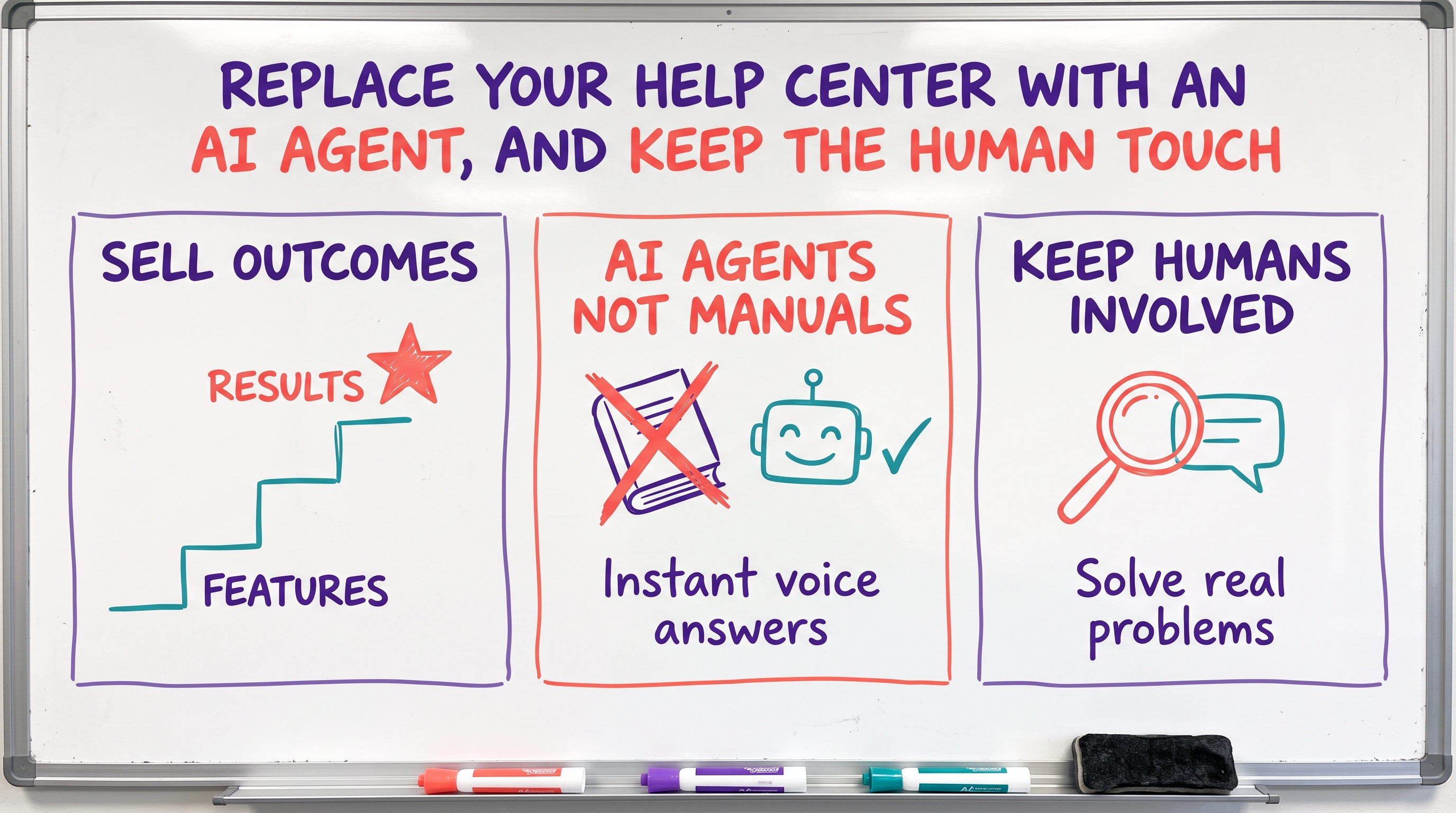
Replace Your Help Center with an AI Agent, and Keep the Human Touch
When you ship features faster than anyone can document them, a traditional help center falls behind. Here is how founders are using outcome-based messaging, in-app announcements, and AI agents to help customers get value on their own.

Here is a problem that did not exist five years ago. A founder in our mastermind told us his team is shipping so fast with AI-assisted development that thousands of pull requests landed in a single month. When he asked an AI model to map every feature in the product, it came back with about 1,300. His real question was how a customer is supposed to learn all of that, and how his small team could ever write the articles to explain it.
The discussion that followed covered messaging, product design, announcements, and support automation. Four ideas stood out, and they apply whether you ship 1,300 features or 30.
Sell the outcome and shrink the product
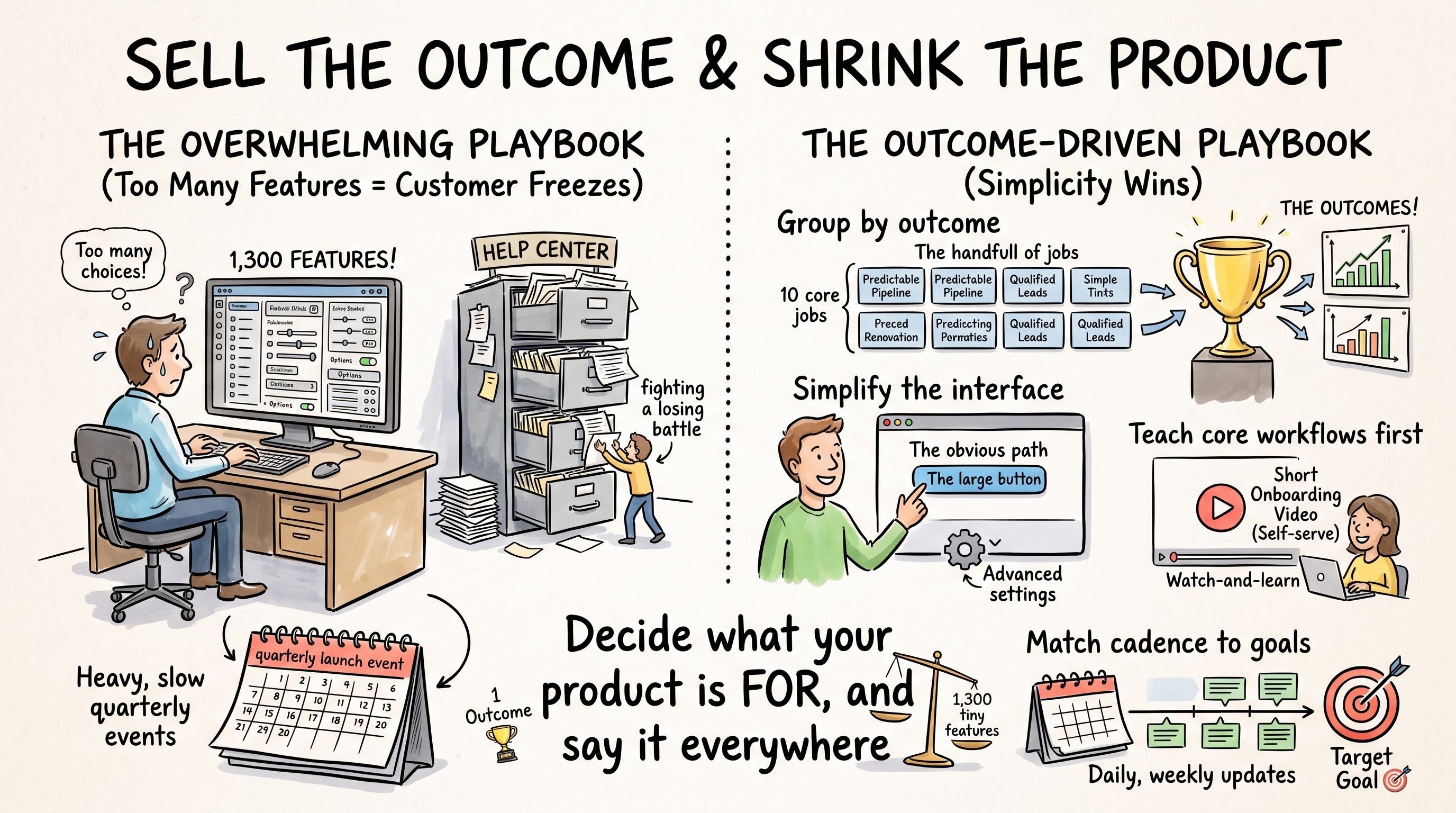
The first reply came from a founder who said you should never sell by features. You sell the result, like a campaign that raised conversion rates by a measurable amount. I agreed, and I added something about the number itself. As I said on the call, "you don't have 1,300 features. You probably have 10 features that have different settings and capabilities." Once you group the product into the handful of jobs it does for customers, your help content gets much easier to organize.
Another member warned that more is not always better. When a product presents too much capability at once, customers freeze and do less. If the interface does not simplify the product, the help center will be fighting a losing battle.
- Group by outcome. Organize help content around what customers want to achieve, such as predictable pipeline or qualified leads, not around the internal feature list.
- Simplify the interface. Make the common path obvious and tuck the advanced settings away.
- Teach the core workflows first. Short onboarding and training up front, sometimes recorded for self-serve customers, tends to raise adoption.
- Match your cadence to your goals. Launch announcements have moved from quarterly events to monthly, weekly, and sometimes daily updates. Ask whether yours help you reach a business goal.
None of this requires a new tool. It requires deciding what the product is for and saying so consistently in the interface, the help center, and every announcement.
Announce features inside the product
A founder with a large base of non-technical users shared a tactic that cost very little. Customers kept complaining that features had launched and nobody knew they existed. His team added a What's New button at the top of the app and fills it every time something ships. When a new item is published, a pop-up appears for anyone logged in on the web, so they cannot miss that something launched. The button also carries a red dot with a count of the items each user has not yet looked at.
He had one more observation that low-priced SaaS founders will recognize. Feature announcement emails can remind inactive accounts to cancel, so his team batches them and avoids blasting everyone for every release. The in-app version solves much of that problem because it only reaches people who are already using the product.
- Use a What's New feed. A persistent place where every launch is listed, written with AI assistance to keep the effort low.
- Pop up on launch. A short, one-time notice ensures logged-in users see that something changed.
- Track what each person has seen. A badge with an unread count is a gentle nudge that costs the user nothing.
- Batch your emails. Combine updates into a digest so you do not give sleepy accounts a reason to leave.
Customers told him they were glad he added it, simply because they knew what was going on. That is a strong reaction to a small feature, and it suggests that many customers want to hear about improvements as long as the message reaches them in a place that feels useful and not intrusive.
Use AI to keep documentation honest
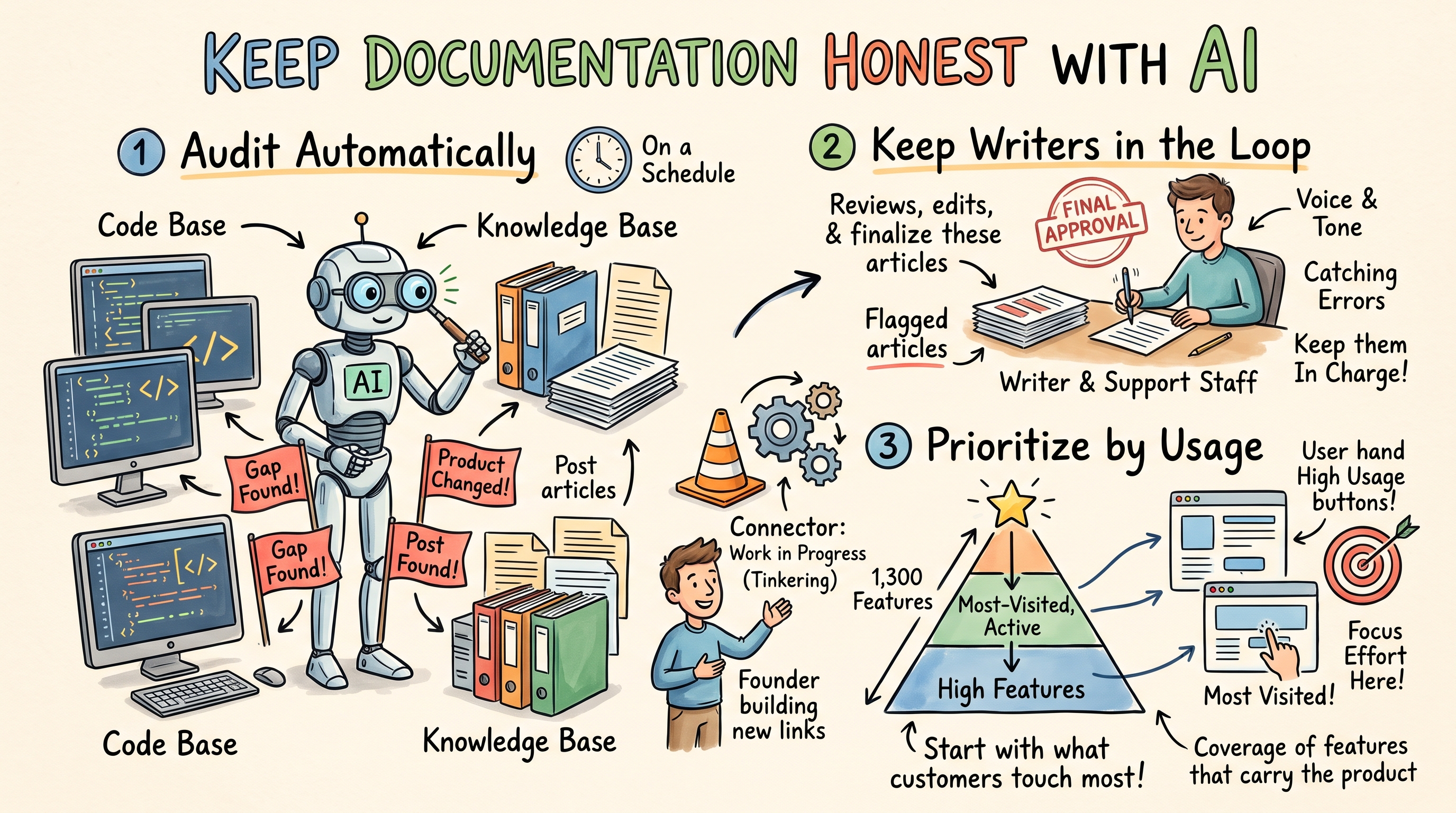
Another approach is to point an AI model at both your code base and your knowledge base and let it compare them. The model flags features that exist in the product but have no article, and articles that describe things that changed. The support team then writes or edits the content however they like, so people stay in charge of the voice, while the machine does the tedious auditing. The founder using this method was still populating his announcements by hand because the connector had not been built yet, which is a normal state for a work in progress.
- Audit automatically. Compare code and documentation on a schedule so gaps show up before customers find them.
- Keep writers in the loop. Let support staff finalize the articles, which preserves tone and catches errors.
- Prioritize by usage. With 1,300 features you will not document everything, so start with what customers touch most.
The point of this approach is that nobody needs to write 1,300 articles. You need good coverage of the features that carry the product, and an automated way to notice when something falls out of date.
Skip the manual and put an agent in front
The most striking story came from a founder whose usage data showed that customers would rather do almost anything than read a user guide. His team stopped investing in guides and built feature tours that walk a new user through the parts of the product that matter. They also loaded their entire knowledge base and user guide into an AI chatbot a year ago, and this year they turned it into a live voice agent that sits in the corner of the application. Customers click a button, talk, and get an instant answer.
The results were large. He reported that users were ten times more likely to ask the agent to do something than they had ever been to type into a help box. He also said the agent explains what the application does better than anyone on his team, and he expects that within weeks the volume and accuracy of what it handles will beat what his support staff can manage. They built it on a commercial voice platform with a real-time data layer underneath, and they looked at five or six vendors before choosing. His advice for others was to buy first and consider building once you reach five-figure minutes per month, when the economics change.
- Replace guides with tours. Walk people through the valuable parts of the product instead of hoping they read a manual.
- Load your knowledge into an agent. Start with a chatbot trained on your help content, then add voice once it is reliable.
- Buy before you build. Commercial platforms get you running fast, and you can revisit the decision at higher volume.
- Compare vendors. Look at several options. This founder offered to share his competitor matrix with the group.
Voice is interesting because it matches how people actually ask for help. They describe the problem in their own words and expect action, and an agent connected to your data can do the thing for them.
A practical way to begin is to look at the questions your support team answers most often and write them down. Even a list of the top twenty gives you a pilot scope, a first set of tour steps, and a test set for the agent. If the agent answers those correctly and customers use it, you have evidence to expand. If it stumbles, you have found a documentation gap worth fixing regardless of the agent. Either result teaches you something useful within a few weeks.
Keep humans where they matter
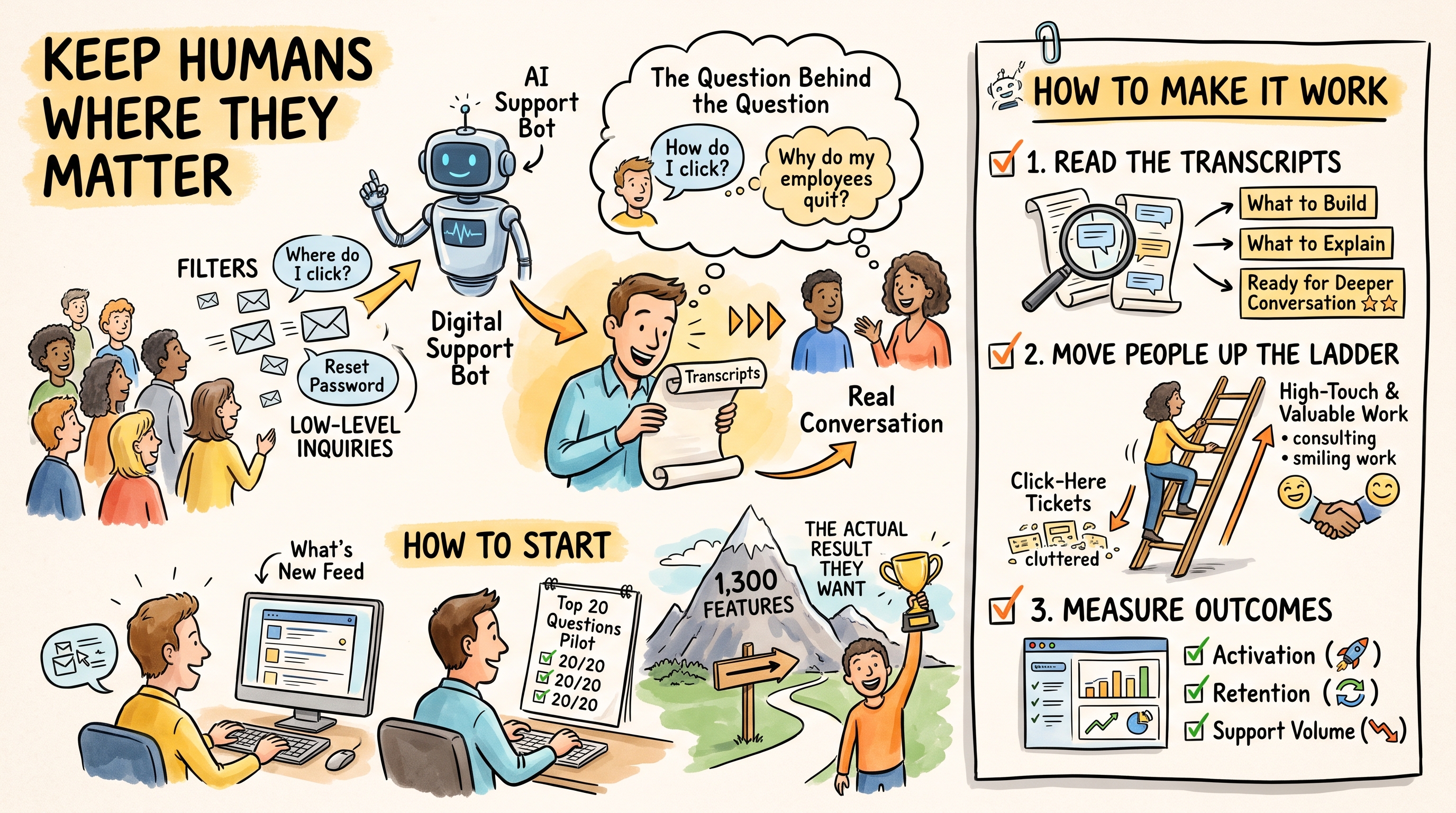
Cutting cost was the main reason one founder wanted to reduce live support, and a member asked a good question about that goal. The founder with the voice agent was clear that humans stay involved. His team reads what customers ask the agent, because there is often a question behind the question. A customer who asks where to click may actually be trying to predict why their own employees quit, and that deserves a real conversation.
- Read the transcripts. Customer questions tell you what to build, what to explain, and who is ready for a deeper conversation.
- Move people up the ladder. Staff spend less time on click-here tickets and more time on high-touch, valuable work.
- Measure outcomes. Track activation, retention, and support volume so you know whether the changes are working.
If you are in the position of that first founder, drowning in features and short on documentation, I would start with the outcome-based structure, add a What's New feed this month, and run an agent pilot on your top twenty questions. You do not have to solve 1,300 features. You have to help each customer reach the result they bought the product to get.