
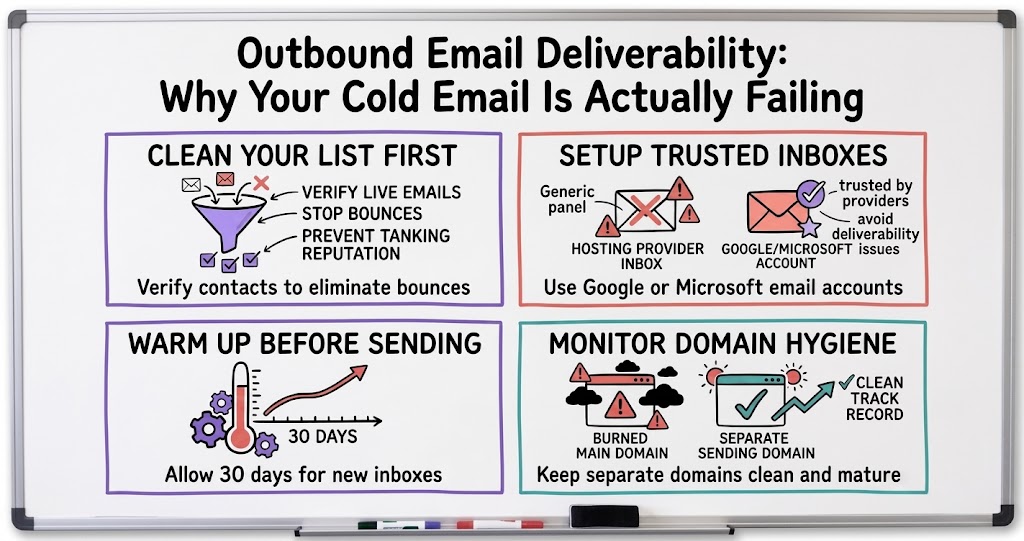
Outbound Email Deliverability: Why Your Cold Email Is Actually Failing
When cold email campaigns get blocked or buried in spam, founders usually blame the tool. The real culprits are almost always list quality, inbox setup, and domain hygiene, and they're all fixable.

A founder running an employee retention SaaS came into a recent mastermind call frustrated. He'd built out what he called an elaborate multi-channel campaign, and it still couldn't get off the ground. Volume was a trickle, and worse, the campaign kept getting flagged and blocked within a day, sometimes within minutes. His instinct was that the tool was the problem, and he was ready to go shopping for a replacement. That instinct is common, and it's usually wrong.
What came out of the conversation that followed is worth writing down, because deliverability problems get blamed on the platform far more often than they should. The tool matters less than the plumbing behind it: your list quality, your inbox setup, and your domain hygiene. Get those three things right, and most platforms work fine. Get them wrong, and no platform will save you.
The problem usually isn't the platform
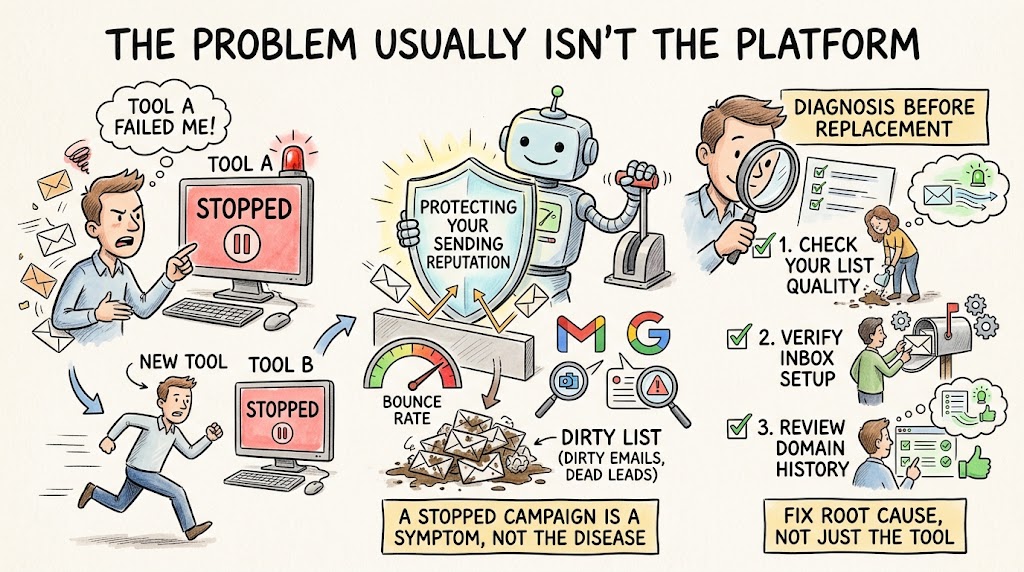
One founder in the group, who runs a marketing agency and does a lot of his own cold outreach, pushed back immediately on the idea of switching tools. If a campaign is getting blocked constantly on one platform, he said, that's a signal of a bigger problem, not evidence that the platform is bad. Most cold email tools stop a campaign automatically once the bounce rate crosses a certain threshold, because a high bounce rate is exactly what email providers look for when deciding whether to flag you as spam. The tool pausing your campaign isn't the platform failing you. It's the platform trying to protect your sending reputation from a list that's already dirty.
- A stopped campaign is a symptom, not the disease. Cold email tools pause sending automatically once bounce rates spike, which is a protective measure, not a platform failure.
- Switching platforms rarely fixes the underlying issue. If the root cause is list quality or inbox reputation, a new tool will hit the same wall.
- The fix starts with diagnosis, not replacement. Before changing tools, check your list, your inbox setup, and your domain history.
Clean your list before you touch anything else
The first and most immediate fix is list verification. One founder described his own process: he pulls a list of contacts, then runs every single email through a separate verification tool that pings each address to confirm it's actually live before it ever touches his sending platform. In his experience, that step alone can eliminate roughly half of a raw contact list. That sounds brutal, but a list that's half dead is a list that will tank your sender reputation fast, because every bounce tells the receiving mail server that you're not sending to real, opted-in addresses.
The math here is straightforward once you see it laid out. If you send to a list where a meaningful chunk of addresses bounce, your platform will throttle or stop you, exactly as it's designed to do. The fix isn't to fight that setting. It's to make sure you never approach it in the first place by verifying your list before import.
- Verify before you import. Run every contact through an email verification service that pings addresses to confirm deliverability before loading a list into your sending tool.
- Expect to lose a chunk of any raw list. Verification commonly filters out roughly half of an unvetted contact list, and that's the list doing its job.
- A clean list is worth more than a big list. Fewer verified contacts that actually land will always outperform a larger list that trips spam filters.
Your inbox setup matters more than founders realize
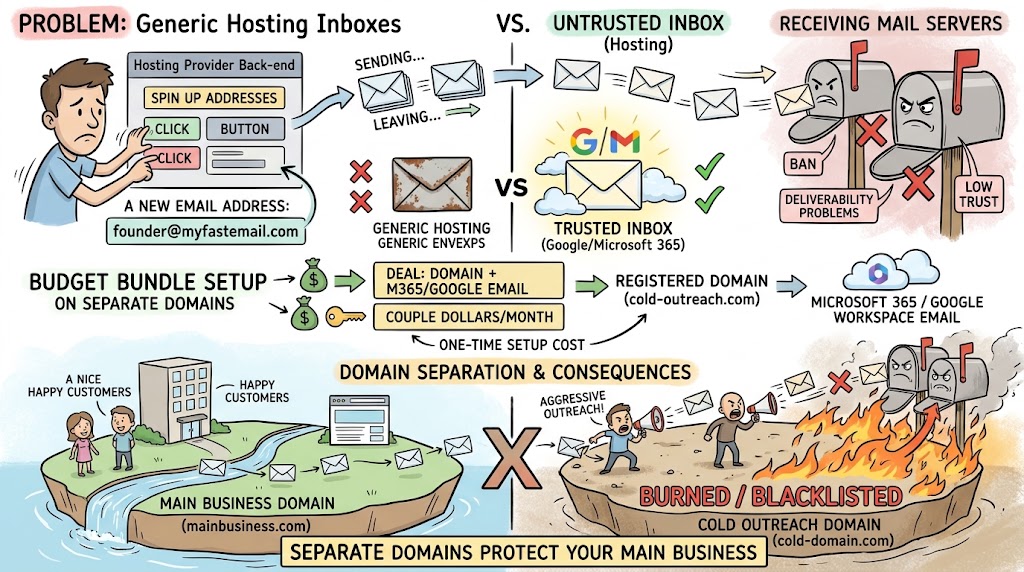
The second issue that surfaced was more surprising to the founder asking the question: where his sending inboxes actually lived. He'd set his cold email inboxes up through his hosting provider's back-end system, because it was fast and easy to spin up a new address. Another founder in the group flagged this immediately as a likely root cause. Google and Microsoft email accounts carry far more trust with receiving mail servers than an email address created through a generic hosting panel. Sending cold outreach from a hosting-provider inbox, in his experience, leads to bans and deliverability problems fast.
His workaround was specific and worth repeating: use a promotional offer some registrars run bundling a domain with a Microsoft email account for a couple of dollars a month, and set those up on domains separate from your main business domain. That separation matters for a reason beyond deliverability. If a sending domain gets burned or blacklisted from aggressive cold outreach, you don't want that damage landing on the domain your actual business runs on.
- Use Google or Microsoft-backed inboxes. Cold email sent from Google Workspace or Microsoft 365 accounts is treated with far more trust than mail from generic hosting-provider inboxes.
- Never send cold outreach from your main business domain. Keep cold campaigns on separate sending domains, so a deliverability problem or blacklist event doesn't touch the domain your website and customers rely on.
- Budget for the setup cost. Cheap domain-and-inbox bundles exist specifically for this use case and take real time to configure properly, but it's a one-time setup cost against an ongoing deliverability problem.
Warm up every inbox before you send a single cold email
The third piece is warm-up, and this is where a lot of founders skip a step that actually matters. One founder described his own rule: every new email inbox runs through a platform's built-in warming feature for a full thirty days before he sends a single real cold email from it. Warming works by having a network of other accounts automatically send to and reply from your inbox, simulating the kind of back-and-forth activity that signals to mail providers that an account is legitimate rather than a fresh spam vehicle.
He keeps warming running continuously, even after a campaign launches, capping outbound cold volume at around thirty emails per day per inbox and layering on another twenty warm-up messages daily, roughly half of every inbox's daily activity staying dedicated to maintaining reputation rather than prospecting. The result, in his account, was a single email ban across four years of running cold campaigns this way. That's the kind of track record that makes the extra setup worth it.
- Warm up for at least thirty days before sending cold outreach. New inboxes need a track record of normal-looking activity before mail providers will trust them with outbound volume.
- Keep warm-up running after launch, not just before it. Continuous warm-up activity alongside real sending helps maintain the reputation you built during the initial thirty days.
- Cap daily send volume per inbox. Splitting daily activity between warm-up messages and real outreach keeps volume low enough to stay under spam-detection thresholds.
Don't blame the tool for a configuration problem
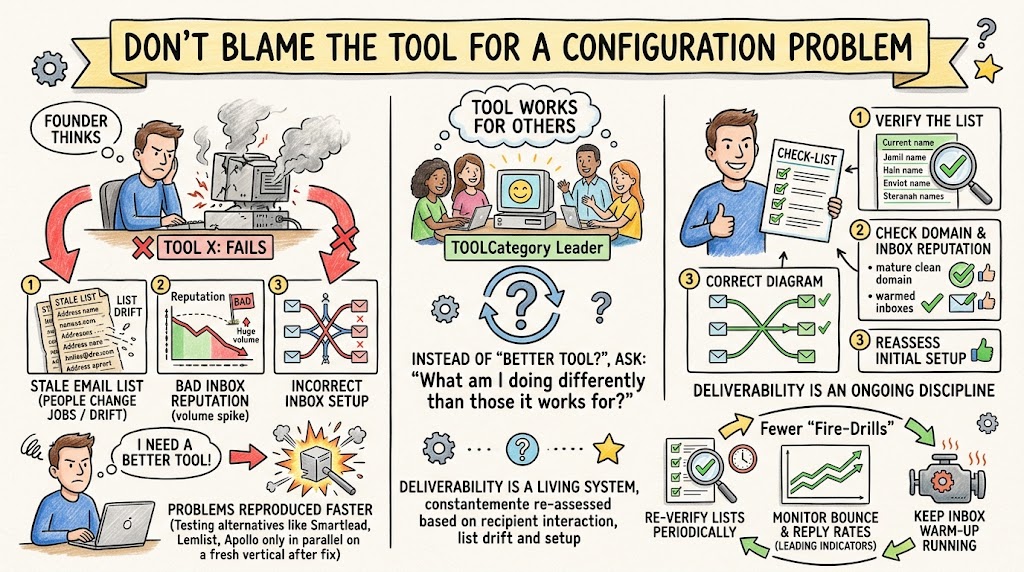
By the end of the discussion, the founder who started the conversation had a clear list of things to check that had nothing to do with switching platforms: verify the list, check domain and inbox reputation, and reassess whether the inboxes were ever set up correctly to begin with. He confirmed his sending domains were clean, mature domains that had been around for years without blacklist issues, which narrowed the likely cause down to inbox setup and list quality specifically.
There's a broader point here that applies beyond email. When a tool that other founders swear by isn't working for you, the more useful question usually isn't "what's a better tool," it's "what am I doing differently than the people it's working for." One founder in the group who's used the same platform successfully for years put it simply: it's a leader in the category for a reason, and if you can figure out your configuration, it does what it's supposed to do. That's not a knock against exploring alternatives like Smartlead, Lemlist, or Apollo's built-in email tool, which came up as reasonable options worth testing in parallel on a fresh vertical. It's a reminder that a new tool applied to the same broken setup will usually just reproduce the same problem faster.
It's also worth remembering that deliverability isn't a one-time fix you complete and forget. Sending reputation is a living thing that mail providers reassess constantly, based on how recipients interact with your messages over time. A list that was clean six months ago can drift as people change jobs and old addresses go stale. An inbox that was warmed up properly earlier in the year can lose reputation if send volume spikes suddenly. Founders who treat deliverability as an ongoing discipline, reverifying lists periodically, watching bounce and reply rates as leading indicators, and keeping warm-up running in the background, tend to have far fewer of these fire-drill moments where a whole campaign grinds to a halt overnight.
The deliverability checklist
If your cold email campaigns keep getting throttled or buried, work through these in order before you consider switching platforms. Confirm your sending domain isn't blacklisted. Verify your entire contact list through a dedicated verification tool rather than trusting a purchased or scraped list. Move your sending inboxes onto Google or Microsoft accounts on domains separate from your main business domain. Turn on warm-up for at least thirty days before any real send, and keep it running continuously afterward. Only after all of that is in place does it make sense to evaluate whether the platform itself is actually the bottleneck.