
How To Do Customer Support with AI
A look at how SaaS founders are actually using AI in customer support today, from simple help-center chatbots to fully agentic tools that take action inside the product, and how to think about when a human still needs to be in the loop.

Almost every founder I talk to is somewhere on the same journey with customer support right now. You start with a person answering tickets, you add a basic chatbot to catch the easy stuff, and at some point you start wondering whether AI can do a lot more than answer FAQs. In a recent mastermind call, a handful of founders compared notes on exactly this, and the range of what people are actually running in production was wider than I expected.
The problem AI support is actually solving
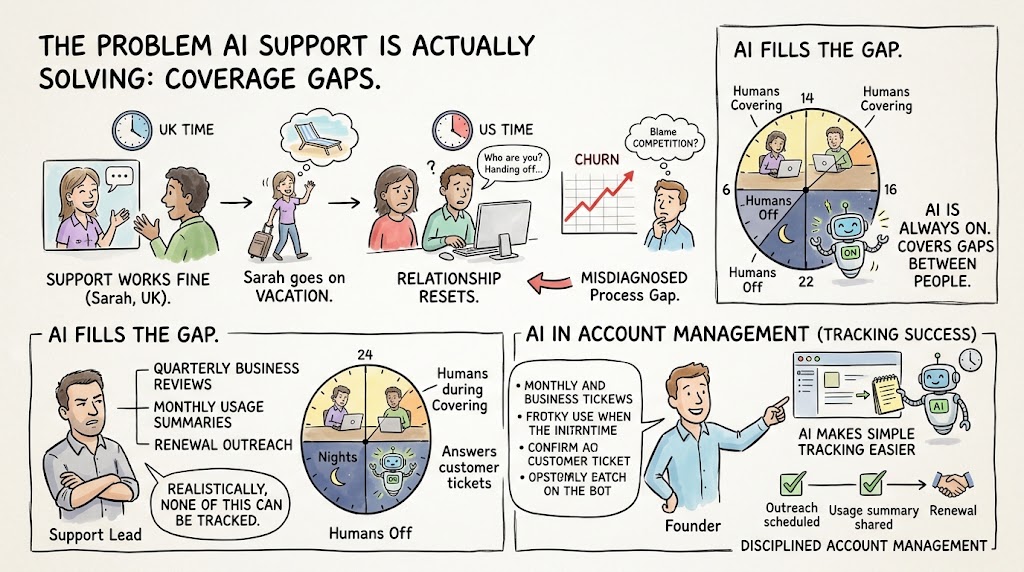
One member runs a company with a fully distributed support and development team spread across a couple of countries. Support works fine for customers in the same time zone, but for customers in the US, the story is different. Support reps go on vacation, the account gets handed to someone else, and the relationship resets. She'd been chalking up churn to competition, but the more she looked at it, the more it looked like an internal coverage problem dressed up as an external one. That's a common starting point: founders reach for AI in support not because they want to replace people, but because coverage gaps are quietly costing them customers.
- Coverage gaps compound. A support handoff during a vacation isn't just an inconvenience, it resets the relationship the customer had built with a specific person.
- The real cause gets misdiagnosed. Churn that looks like a competitive loss is often an internal process gap that never gets fixed because it's blamed on the market.
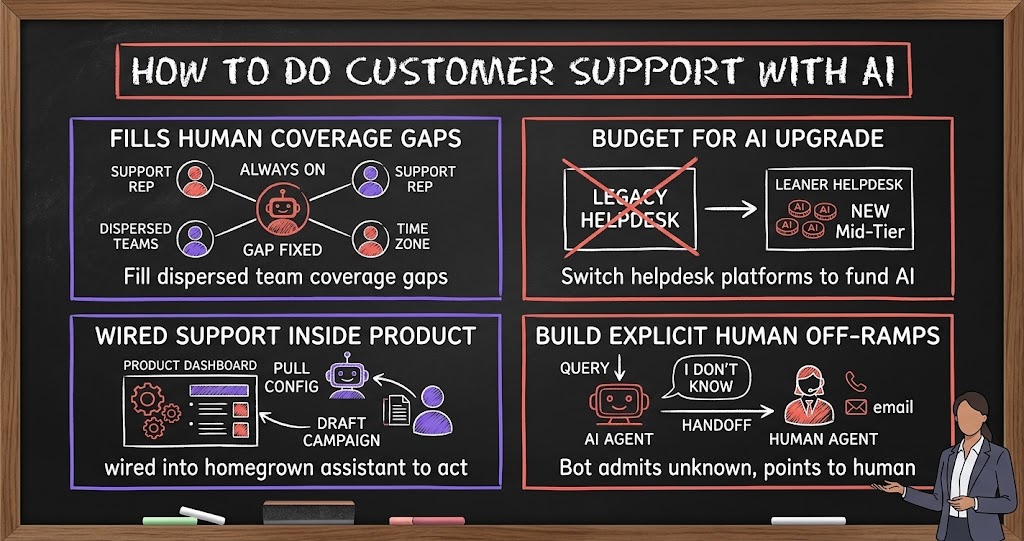
- AI fills the gap between people. A bot that's always on doesn't replace a support rep, it makes sure there's still someone covering the customer while the human team is asleep, on vacation, or swamped.
This is also why account management often gets overlooked in the AI support conversation. It's easy to think about AI as the thing answering tickets, but the same founder was also trying to build discipline around her account management team: quarterly business reviews, monthly usage summaries, outreach scheduled well ahead of a renewal date. When she brought a tracking plan to her support lead, he pushed back hard, arguing none of it could realistically be tracked. Her instinct, and it's the right one, was that almost anything can be tracked if you're willing to build even a simple system for it, and that AI tools make that kind of lightweight tracking far easier to stand up than it used to be.
From chatbot to something closer to an employee
The simplest version of AI support is a bot trained on your help center that answers questions and links to the right article. Several members already run this through tools like HubSpot or Crisp, and it works fine for straightforward questions. But the more interesting pattern on the call was founders pushing past that into something closer to an actual support agent. One member built a custom AI assistant that lives inside the product itself, answers detailed product questions, and has had conversations forty or fifty messages long with a single trial user working through a complex decision. Another connected their support AI to the product's internal tooling through MCP, so it doesn't just explain how to build an email campaign, it actually builds a draft of the campaign and shows the user where it clicked to do it.
- Answering questions is the floor, not the ceiling. A bot that can quote your documentation is table stakes; the founders getting the most out of this are giving their AI the ability to act.
- Long conversations are a signal, not a red flag. One founder saw a customer have a forty-plus message exchange with the bot before ever reaching out to a human, and treated that as evidence the tool was working, not that support was failing.
- If you built the product, you can build support that's wired into it. One member put it well: support that's disconnected from the tool you built doesn't make sense, because you understand that tool better than any third-party platform ever will.
That last point is worth sitting with for a second. Off-the-shelf support platforms are catching up fast, but a homegrown assistant with direct access to your product's data and actions can do things a generic tool simply can't, like pulling a specific customer's actual configuration and giving advice based on what they've actually built, not a generic answer pulled from a knowledge base.
How much this actually costs
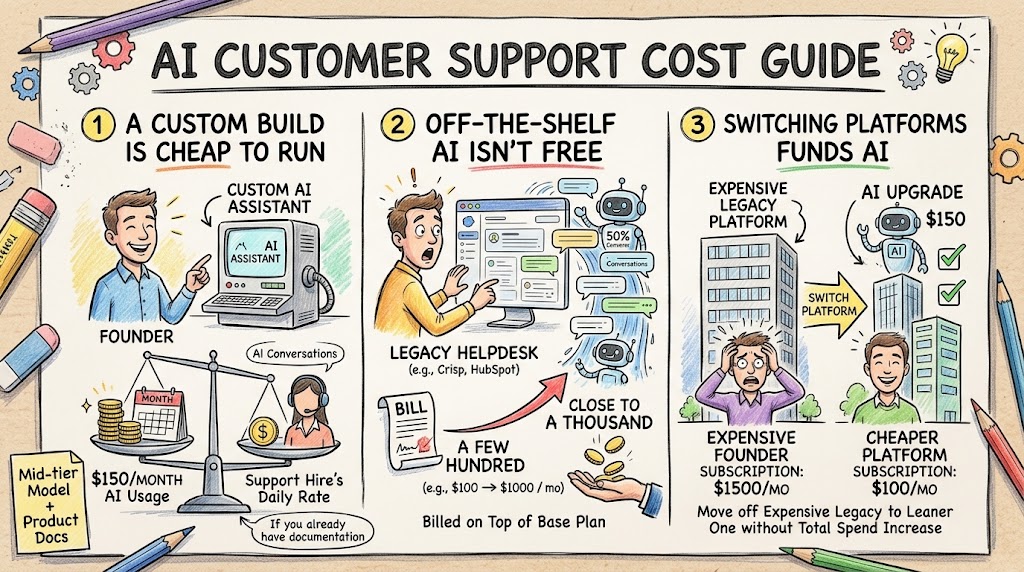
Cost came up naturally, and it's lower than most founders assume once you're past the build phase. One member's custom-built assistant runs on roughly $150 a month in AI usage, even with heavy day-to-day conversation volume, because the underlying model is a mid-tier one rather than the most expensive option available. Founders running AI features inside third-party helpdesk tools saw a wider range, with one member's monthly bill roughly doubling, from a few hundred dollars to close to a thousand, as the AI took on a larger share of conversations. Another switched from a premium helpdesk platform to a cheaper one specifically to make room in the budget for AI, cutting the base subscription from roughly $1,500 a month to about $100 before adding AI on top.
- A custom build can be cheap to run. If you already have your product documentation in decent shape, feeding it to a mid-tier model can cost less than a single support hire's daily rate, for a full month.
- Off-the-shelf AI features aren't free just because the platform is cheap. AI usage gets billed on top of your base plan, and a bot handling half your conversation volume will show up on the invoice.
- Switching platforms can fund the AI upgrade. Moving off an expensive legacy helpdesk to a leaner one freed up enough budget for one founder to add AI without increasing total spend.
Knowing when a human still needs to step in
Nobody on the call was running 100% AI support, and for good reason. One founder has kept support fully human on purpose, because live, responsive people have been a genuine differentiator in a market where competitors lean hard on automation. He's testing AI now, but cautiously, because he doesn't want to trade away something that's actually working. The founders furthest along with AI support all built in an explicit off-ramp: when the bot doesn't know the answer or the customer is getting frustrated, it says so directly and hands over contact information for a real person, rather than pretending to have an answer it doesn't have.
- Build the handoff in from day one. An AI that admits what it doesn't know and points to a human is far less damaging than one that guesses.
- Don't assume AI has to replace your differentiator. If live human support is part of your brand promise, layer AI in around the edges instead of ripping out what's working.
- Watch the bot's transcripts. Reviewing what the AI got wrong, or what it got asked repeatedly, is how you find gaps in your documentation before customers do.
The privacy question nobody wants to skip
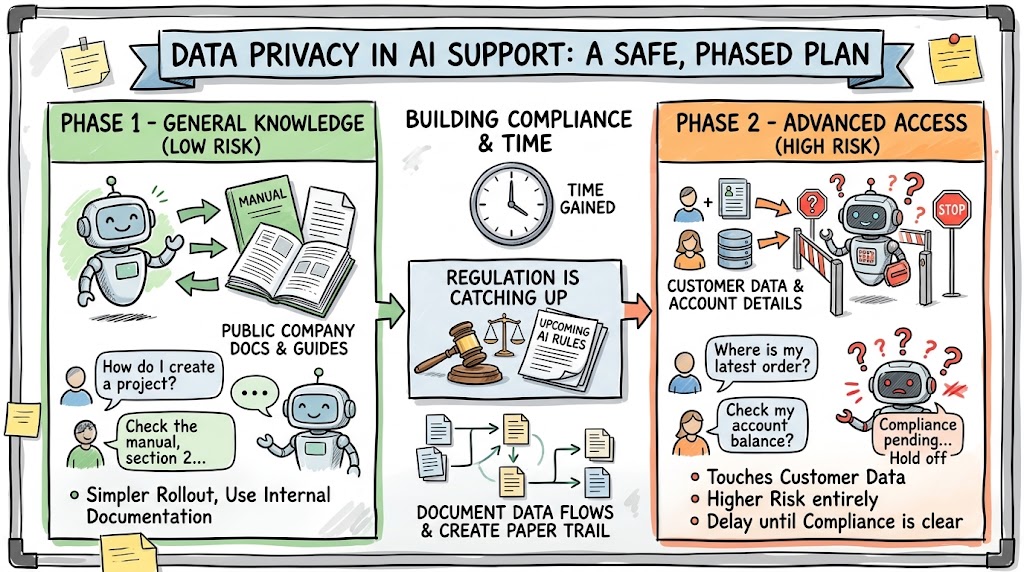
The one place the conversation slowed down was data privacy, and it's worth taking seriously rather than rushing past. A founder with customers across the US and Europe pointed out that turning AI support loose on your own internal documentation is one thing, but letting it touch customer data is a different level of risk entirely, especially with new AI-specific regulation set to take effect. Her compromise was practical: roll out AI support for general product questions first, using only her own company's documentation, and hold off on anything that requires the AI to access individual customer data until the compliance picture is clearer.
- General knowledge is lower risk than customer data. A bot trained on your public documentation is a much simpler rollout than one with access to individual account details.
- Regulation is catching up to AI support specifically. New AI-focused rules are coming into effect that will require documentation of how customer data flows through AI systems, so build now with that paper trail in mind.
- Phase the rollout. Launching the low-risk version first buys you time to get the data-handling piece right before customer-specific AI support goes live.
Measuring whether it's actually working
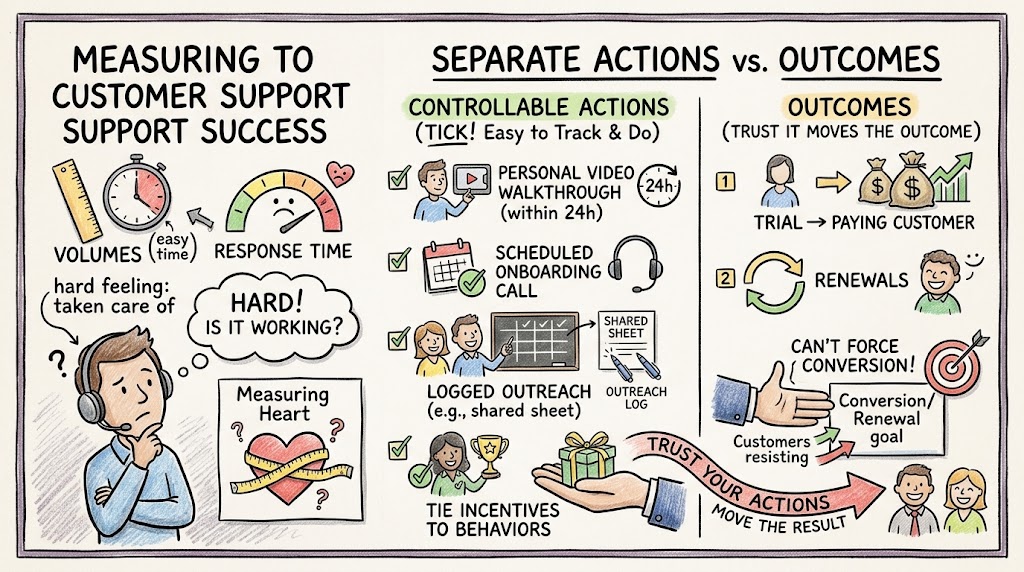
One thread that ran under the whole conversation was how hard it is to know whether support, AI or human, is actually doing its job. It's easy to track ticket volume and response time, but much harder to know whether a customer feels genuinely taken care of. One founder's approach, borrowed from a well-known execution framework, was to separate what you can directly control from the outcome you actually care about. You can't force a trial to convert to a paying customer, but you can control whether every new signup gets a personal video walkthrough within twenty-four hours and a scheduled onboarding call. Track the thing you control, and trust that it moves the outcome you can't control directly.
- Separate the controllable activity from the outcome. You can't force a renewal, but you can control whether outreach happens on schedule, and that discipline is what tends to produce the renewal.
- Start with a basic, even manual, tracking system. A simple shared sheet where reps log outreach is far better than no system, even before you invest in more sophisticated tooling.
- Tie incentives to the behavior you want. Founders who made outreach part of a rep's actual incentive structure saw the behavior happen consistently; founders who just asked for it as a favor generally didn't.
Where this is heading
The founders furthest along aren't treating AI support as a cost-cutting bolt-on. They're treating it as a genuine extension of the team, one that reads documentation faster than any human could, never goes on vacation, and gets smarter every time someone points out where it got something wrong. The ones getting the most value are the ones willing to give it real access, inside sensible guardrails, and actually look at the conversations it's having instead of setting it up once and walking away.
If you're just getting started, the path that worked for the founders on this call was simple: get your documentation in order, point a bot at it, watch what it gets wrong, and build the human handoff before you ever need it. Everything more advanced, actions inside the product, customer-specific answers, tighter data controls, can come after you've proven the basics actually help.