
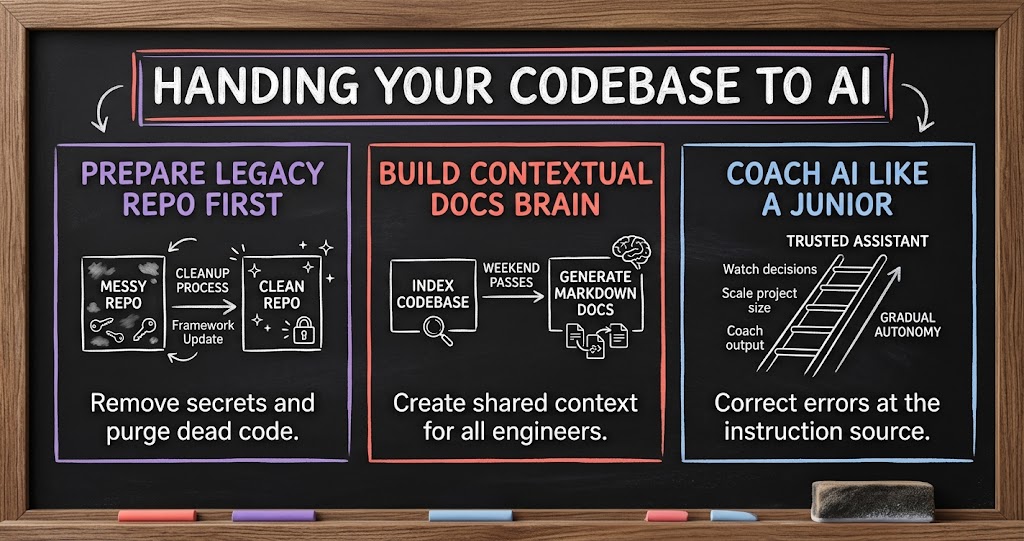
Handing Your Codebase to AI
SaaS founders with years of legacy code are now giving AI coding tools full access to their repos. Here is how members of our mastermind prepared their code, trained Claude like a junior engineer, and compressed quarter-long projects into a week.

If you run a SaaS company with a codebase that's ten or fifteen years old, you've probably wondered what would happen if you handed the whole thing to an AI coding tool. Would it understand the architecture? Would it break things? Would it expose secrets you forgot were in there? And is it really as fast as people say?
Those questions came up in a recent SaaS CEO Mastermind session. One founder was getting ready to give Claude access to a 15-year-old codebase and wanted practical advice. What followed was one of the most useful conversations on AI-assisted engineering we've had, because a member who had gone through the same process eight months earlier walked through exactly what worked, what didn't, and what the results looked like.
Clean Up Before You Upload
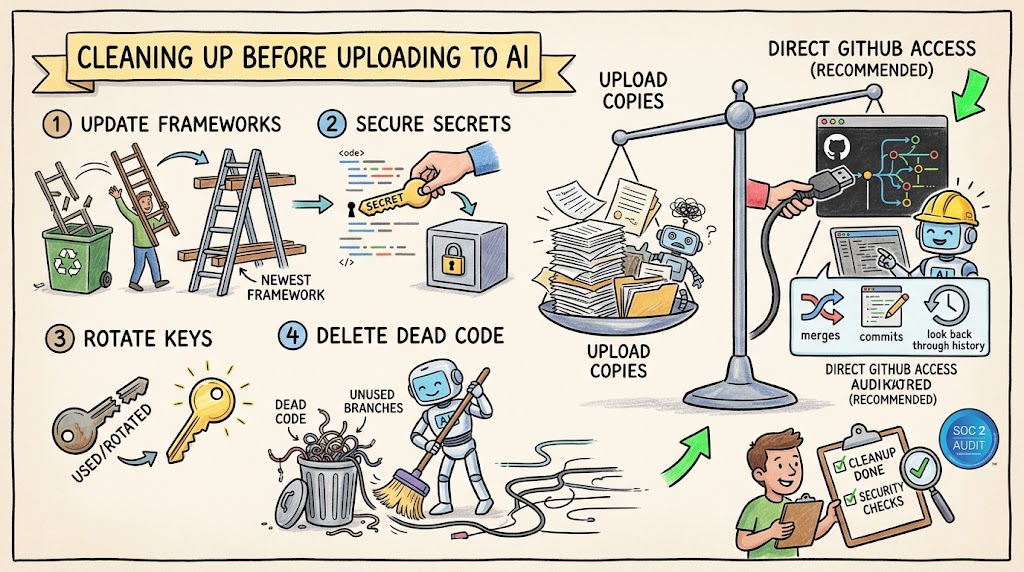
The founder who brought the question had already done a lot of the right preparation. His team had moved the codebase to the latest version of their framework. They found some hard-coded API keys in integrations with third-party vendors, stripped them out, and moved them into a key vault. And they went through the code deleting anything that was clearly dead, so it wouldn't clutter things up and confuse the AI.
His open question was whether to upload a copy of the code or give the AI direct access to source control. The member with eight months of experience was clear: give Claude direct access to GitHub. It's very powerful because it can look back through history, handle merges, commits, and reverts, and do the kind of work you need from a real engineer. On the security side, if keys were ever committed to the repo at any point, the right move is simply to rotate them.
- Update to current frameworks first. A modern stack gives the AI cleaner patterns to work with.
- Move secrets into a vault. Hard-coded keys shouldn't live in the code whether or not AI is involved.
- Rotate any key that was ever committed. Once a secret has been in source control, treat it as exposed.
- Delete dead code. Unused branches and old artifacts confuse the AI and slow it down.
- Give it direct repo access. Source control history is part of what makes the AI useful.
He also noted that his team is going through a SOC 2 audit, and recommended getting that kind of security hygiene on the calendar even if you aren't pursuing certification yet.
Build a Documentation Brain First
The most important advice from the session was about what to do before you start asking the AI to write code. The member set up a separate repository just for documentation and filled it with markdown files. Then he spent a couple of weekends having long conversations with Claude, asking it to go through and index the codebase, learn it, ask him questions, take notes, and write everything down.
That process burns a lot of tokens, but he did it within Anthropic's $100-a-month plan. The payoff is enormous. Once that documentation exists, Claude can read the markdown to get context and then jump straight to the specific lines of code it needs. As he put it, you don't need amazing prompts anymore. You just need to give it context. Your goldmine is a repo of markdown files that are linked to each other and explain everything about your infrastructure, where you've been, and where you're going.
- Create a separate docs repo. Keep the markdown files next to the codebase so every session can reference them.
- Let the AI interview you. Ask it to learn the codebase, ask questions, and write down what it learns.
- Invest a few weekends up front. Multiple passes through the code build a much richer picture.
- Share it across the team. When every engineer's session references the same docs, everyone benefits from what the AI has learned.
That last point turned out to be a big deal. Because the markdown lives in a shared repo, lessons one engineer teaches the AI show up in everyone else's sessions too.
Treat It Like a Junior Engineer
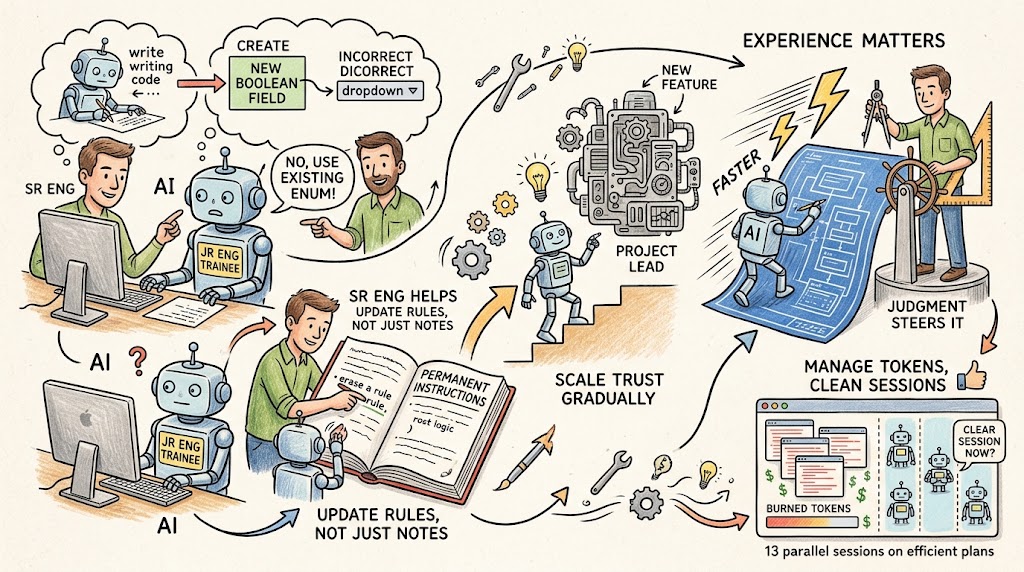
Another member asked the obvious question: what about bugs? The answer was honest. Using Claude for coding is more art than science. There were times it went off the rails, such as creating a new Boolean field in the code instead of referencing a drop-down or enum that already existed. When that happened, he pushed back on its first instinct, which was to write another note. He told it directly why the choice was wrong and had it update its own permanent instructions so the mistake wouldn't repeat.
His framing was that you're training someone, like a junior engineer. You watch it like a hawk at first and criticize every decision. Over time, you develop the kind of trust you'd develop with a new hire, and you start giving it bigger projects. He also pointed out that this is why a lot of vibe-coded apps are weak. You can't start from nothing. You need real engineering experience to direct the tool well.
- Expect mistakes early. The AI will make wrong assumptions, especially before it has good context.
- Correct it at the source. Have it update its permanent instructions, not just add another note.
- Audit its metadata. Periodically ask what it's missing, what could be indexed better, and what could be consolidated.
- Scale trust gradually. Start with small tasks and give it bigger projects as it earns your confidence.
- Experience still matters. The tool makes good engineers much faster, and it still needs their judgment to steer it.
He also shared a practical tip for managing token use. He built a skill telling Claude to let him know when it's a good time to clear the session. Now his engineers see that prompt in their own sessions, clear at sensible points, and burn fewer tokens. With that kind of discipline, he said he's been able to run as many as 13 parallel sessions on the $100 plan using Claude Opus 5.
What the Results Look Like
The numbers from this member's team were remarkable. A framework upgrade that another founder in the room said took his own team a full quarter took them one week, with two engineers directing Claude. A junior engineer who joined a month earlier, with no prior knowledge of the codebase, wrote around 13,000 automated tests from scratch in that month, including end-to-end tests on iOS and Android emulators. They went from no CI/CD pipeline at all to a full alpha, beta, and production pipeline in about a week and a half.
He also shared how it handles day-to-day support. That morning, a customer emailed about a complex SQL problem. Because Claude was connected to his inbox, he asked it to read the email and fix the issue. It did, and the customer wrote back to say the problem was solved.
- Major framework upgrades in a week. Work that took one team a quarter took another about a week.
- Test coverage from zero in a month. Around 13,000 tests, written with a junior engineer directing the AI.
- Full CI/CD in about ten days. From pushing directly to production to a proper staged pipeline.
- Support fixes from the inbox. Connected tools let the AI read a customer issue and resolve it.
Another member took a different path. When his team tried to apply AI to their legacy system, they found too many dead branches and artifacts, so they rebuilt from scratch. Within about four months they had a commercial version delivered to a client, with web, thin-client, and mobile developed in parallel. His observation was that the team now spends most of its time on architecture and features, while the coding itself has become the easy part.
The Counterpoint on Risk
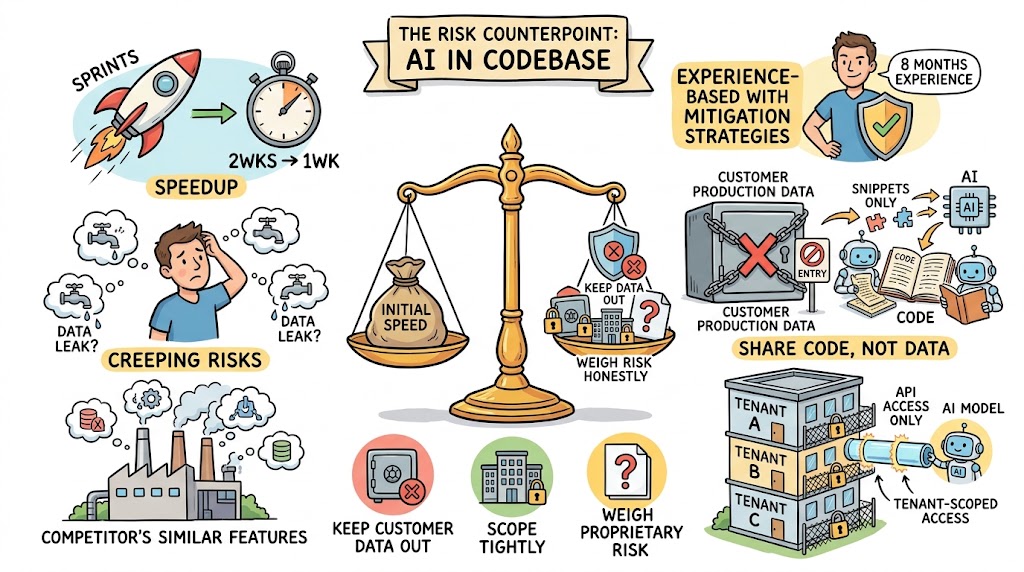
Not everyone at the session was fully sold, and the counterpoint is worth hearing. One founder said his team saw the same early gains, with sprints shrinking from two weeks to one. But over time, some things just didn't feel right, and he had lingering concerns about data leakage. He also started seeing competitors ship very similar features.
The member with eight months of experience said he hasn't seen any data leakage issues. His team shares the codebase with Claude but never customer data. He also explained that the tool isn't uploading the entire codebase every time; it reads and sends relevant snippets to answer a specific request. For their customer-facing AI features, they give the model API access only, scoped to each tenant, so it can never see data that user shouldn't see.
- Keep customer data out. Share code, not production data, with your coding tools.
- Scope customer-facing AI tightly. Use tenant-level API access so the model can't reach other customers' data.
- Weigh proprietary risk honestly. If your code is your core advantage, think carefully about what you share.
Where to Start
If you're thinking about handing your codebase to AI, the playbook from this session is clear. Clean up secrets and dead code. Give the tool direct repo access. Spend a couple of weekends building a shared markdown documentation brain. Then train it like a junior engineer, with close supervision at first and more autonomy as it earns trust. The founders seeing the biggest results say you get out what you put in, and you have to put a lot in up front. But if you do, you can compress months of engineering into weeks.