
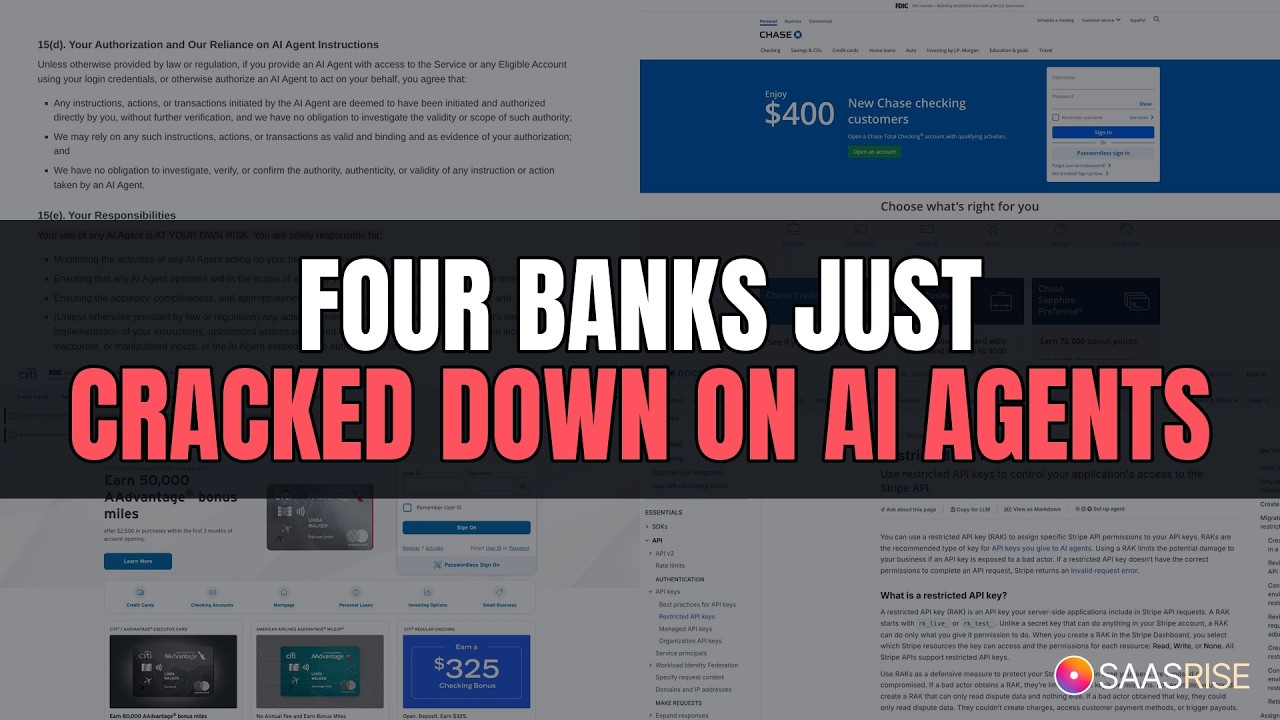
Four Banks Just Cracked Down on AI Agents. Should Your SaaS?
Wells Fargo, Citi, Schwab, and Chase have each set rules for AI agents that use customer logins. Here are the three agent policies a SaaS company can choose from, and how to pick yours this week.

Your customers' AI agents may already be logging into your product with their passwords. If that sentence makes you a little uneasy, it should, because it describes something that four major banks have just decided to deal with directly. Over the past few weeks, Wells Fargo, Citi, Schwab, and Chase have each taken a public position on what AI agents may and may not do inside a customer's account. Their reasoning applies to any SaaS company that holds customer data or lets users take actions on their behalf.
In this post I'll walk through what each bank said, explain the problem they are all trying to solve, and lay out three policy options for your own product. The goal is for you to write your agent policy this week, before a customer's agent forces the question for you.
What the Four Banks Did
Start with the mildest. On Tuesday, Wells Fargo's new online terms take effect with a section on AI agents. The terms say that your use of any AI agent is at your own risk, and that whatever the agent does counts as you. Citi went further, saying that third-party AI agents may not log into a customer's account at all. Schwab's CEO told Bloomberg that the firm blocks agents trying to move client money 10 to 20 times a week. And Chase changed its terms on October 27th: no outside AI may use your login, though it can come in through Chase's approved data connections with your permission.
- Wells Fargo. Agent use is at the customer's own risk, and whatever the agent does counts as the customer.
- Citi. Third-party AI agents may not log into a customer's account at all.
- Schwab. Blocks agents trying to move client money 10 to 20 times a week, according to its CEO.
- Chase. Since October 27th, no outside AI may use a customer's login, but agents can connect through approved data connections with permission.
The four positions run from a liability warning to an outright ban to a sanctioned alternative. What they share is a decision to set rules before something goes wrong.
Why Banks Are Worried
The reason is straightforward. To a bank, an agent that logs in with your password looks exactly like you. It has the same access you have, no limits of its own, and no separate audit trail. If something goes wrong, the bank can't easily tell whether the customer or the agent made the move, and the customer may have given the agent far more power than they realized.
- Same access. The agent inherits everything the customer can do.
- No limits of its own. Nothing restricts the agent to a narrow task.
- No separate audit trail. Actions look identical to the customer's own.
- Unclear responsibility. When something goes wrong, it is hard to say who is accountable.
Now swap the word bank for your SaaS product. If your customers can sign in with a username and password, an agent that has that password has the same reach as the person. It can export data, change settings, send messages, or delete records, and your logs will record all of it under the customer's name.
Why This Is Your Problem Too
Agents will use your product. That is the plain expectation, and it applies whether or not you've announced anything about it. Customers are already handing tasks to AI tools that can browse the web and use their accounts, and some of those tasks will run through your login page. You may already have agent traffic in your logs without knowing it.
The question is therefore not whether agents show up, but which door they come through. If you don't decide, the default door is the customer's password, and that is the one the banks have identified as the riskiest.
- Security risk. Passwords shared with agents widen the number of places a credential could leak.
- Support risk. Agent mistakes will land in your support queue under the customer's name.
- Data risk. An agent with full access can pull or change far more than the task required.
- Revenue opportunity. Agent access could be a feature you design and price on purpose.
Three Policy Options
The video lays out three choices, and I find it helpful to treat them as a real menu. You can block agents that log in with a password. You can open a sanctioned door, with scoped keys and limits. Or you can charge for agent access. Each one fits a different kind of product and customer base.
- Block. Detect and refuse agents that log in with a customer's password, as Citi has chosen to do.
- Open a sanctioned door. Offer an official route, such as scoped API keys with limits and permissions, so agents can connect without a customer's password. This resembles Chase's approved data connections.
- Charge for agent access. Treat agent usage as a product with its own price, limits, and terms.
A block is the simplest to describe, but it can be hard to enforce, and it may frustrate customers who want to automate their work. A sanctioned door takes more engineering, but it gives you control and a record of what each agent did. Charging for agent access works best when agents create real cost for you or real value for the customer.
How to Pick Yours
Start with what an agent could do in your product and what the worst case looks like. If an agent could move money, delete data, or expose private records, lean toward a block or a tightly scoped sanctioned door. If agent use would mostly read information or run routine tasks, a sanctioned door with sensible limits is probably right. If agent activity is heavy and expensive to serve, add pricing.
- List the high-risk actions. Money movement, deletion, exports, and permission changes.
- Estimate agent traffic. Check logs for patterns such as very fast, repetitive sessions.
- Pick one option. A single clear policy beats a vague mix.
- Decide what you will build. A sanctioned door may need scoped keys, limits, and audit logs.
Whatever you choose, write it down in plain language and put it in your terms, as the banks did. A clear policy protects you when something goes wrong, because the customer will have agreed to it in advance.
What a Sanctioned Door Might Include
If you choose to open a door, the design matters as much as the decision. The banks' concern was that an agent with a password has no limits of its own. A sanctioned route fixes that by giving the agent its own credentials, its own permissions, and its own record. Think of it as issuing the agent a visitor badge instead of handing it the customer's house key. The customer approves the badge, you decide what it opens, and either side can cancel it at any time.
- Scoped permissions. Let the customer pick exactly what the agent can read or change.
- Usage limits. Cap the number of actions or the size of any single action.
- A separate audit trail. Record agent actions under the agent's own identity so they can be reviewed.
- Easy revocation. Give customers a one-click way to cancel an agent's access.
These features also make a good selling point. Customers who want to use agents will prefer a product that gives them a safe way to do it over one that forces them to share a password.
Whichever route you choose, tell your customers early. Many of them are experimenting with agents on their own and have not thought about the risks. A short, plain note explaining what is allowed, what is blocked, and how to connect an agent safely builds trust, and it reduces the number of support tickets you will get when a blocked login suddenly stops working.
Finally, assign an owner. Agent policy touches security, product, legal, and support, and a decision shared by four teams often belongs to none of them. Name one person who is responsible for keeping the policy current as agent tools change.
A One-Week Plan
You don't need a large project to start. Spend a day looking at your logs for signs of automated logins. Spend another day with your security and product leads listing what an agent with a customer's password could do. Then pick one of the three options and draft the wording for your terms. Even if the engineering takes a quarter, the policy itself can be written and published within the week.
- Day 1. Review logs for automated or unusually fast sessions.
- Day 2. List high-risk actions with your security and product leads.
- Day 3. Choose block, sanctioned door, or paid access.
- Day 4. Draft the policy language for your terms of service.
- Day 5. Share the plan with support so they know what to tell customers.
Four banks picked their door for agents. The longer you wait, the more likely it is that your customers will pick one for you, so choose yours this week.