
ChatGPT's New Business Hub: Which of the Five Things Should Your SaaS Set Up First?
ChatGPT now lets companies claim a business profile, publish a product feed and agent, and see insights on how often they are mentioned. Here is what each piece does and why claiming your profile comes first.

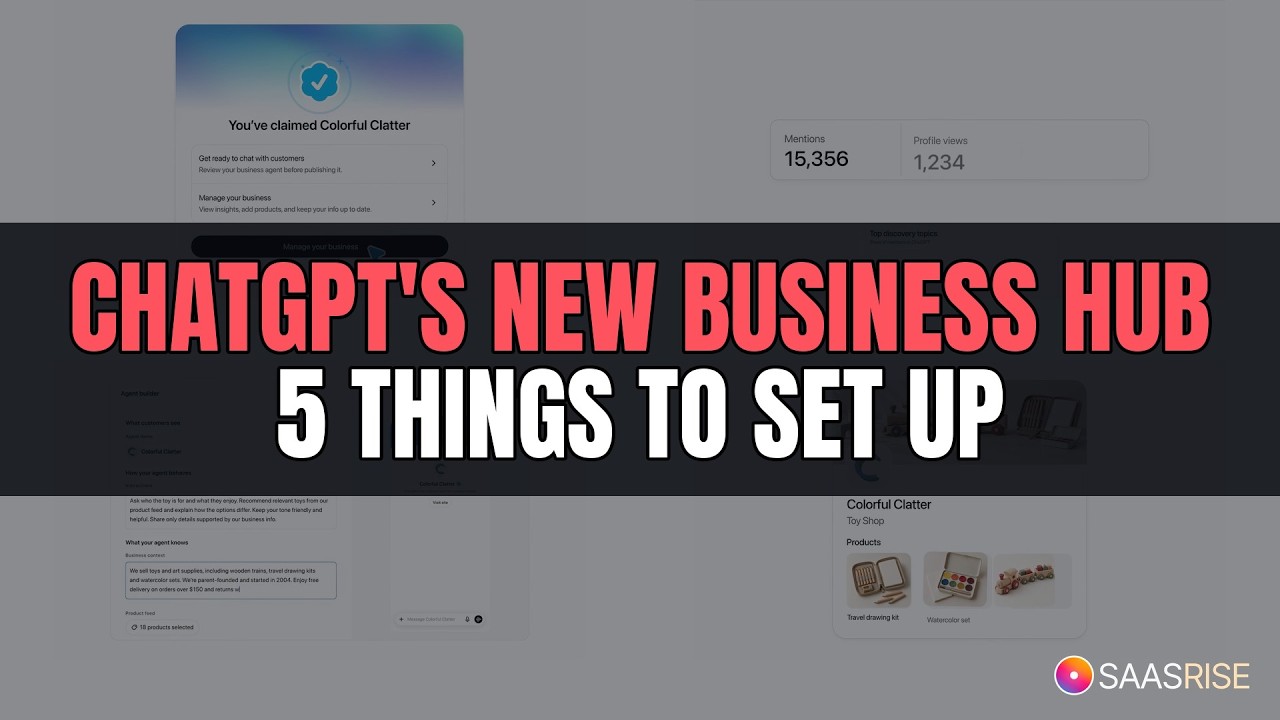
OpenAI says 1.2 billion people use ChatGPT every week. Until recently, a software company had very little say in what those people saw when they asked about its category. That changed this week, with a new business hub that lets you shape what ChatGPT shows about your company. The hub has five parts, and the order in which you set them up matters more than most founders will expect.
I want to walk through each of the five, explain the one caveat that comes with the data, and show why the first step is the only one that is truly required before the others work. Everything about the hub below comes from OpenAI's announcement as I understand it, so check the details in your own account before you act on them.
The five things inside the hub
The five parts run from basic ownership to reporting. Each one builds on the one before it, which is why the sequence is not arbitrary. A short description of each follows, and then I will explain how I would prioritize them.
- One: claim your business. Search for your company name and verify that you own it.
- Two: edit your info. Update the description and details that ChatGPT shows about your company.
- Three: add a product feed. Provide current pricing and availability so answers about your product are accurate.
- Four: publish a business agent. Customers ask it questions inside ChatGPT, and it answers from information you provide.
- Five: review insights. See how often ChatGPT mentions you, how many people click through to your website, and the topics they were asking about.
The insights are the part that most founders will find new. Until now, a company could guess how often AI tools mentioned it, and could only learn more by running prompts by hand. A dashboard that counts mentions, clicks, and topics turns that guesswork into something a marketing team can track week by week.
The catch about the data
There are two limits to be clear about. First, you cannot see the conversations themselves. The insights tell you how often you appeared and what topics came up, but they do not show you the exact questions or answers. Second, OpenAI says that claiming your profile does not guarantee higher placement. Verification gives you control over your information and access to the data, and it does not buy you a better position in answers.
- Aggregate numbers only. You see counts and topics, so you will need to infer the reasons behind them.
- No guaranteed placement. Claiming gives you accuracy and visibility into results, and it does not move you up automatically.
- Treat it as a measurement tool. Its main value is showing you where you stand and whether your changes help.
I think that framing is healthy. A channel that you can measure and influence, even partially, is much more useful than one you cannot see at all.
Why this matters for B2B software
G2 surveyed more than 1,000 B2B software buyers, and 51% now start their research with an AI chatbot more often than with Google. If that number holds up, the first place many of your buyers meet your company is an AI answer, before they ever reach your website. A weak, outdated, or inaccurate description in that answer can cost you a shortlist spot without you ever knowing a buyer was looking.
Think about how a typical buying process works. A VP of operations asks a chatbot for tools in your category, reads the top few results, and then visits those websites. If your company is missing, or described with old pricing or the wrong use case, you are out of consideration at the first step. That makes accuracy a direct input to pipeline, which is a good reason for a founder or marketing lead to own this task personally.
- The first meeting happens in the answer. Buyers form a shortlist before they visit any website.
- Inaccurate details cost deals quietly. Old pricing or a wrong description removes you from consideration with no warning.
- It is a measurable channel now. With insights, you can track mentions and clicks the way you track search traffic.
Which one first: the claim
Number one, because everything else, including the insights, is locked until you claim and verify. That settles the question. You cannot publish a feed, build an agent, or see a single data point until ownership is confirmed, so the claim is both the first step and the gate for the rest.
Verification usually involves proving you control the company, so assign it to someone who has access to your company's domain and official accounts. If that person is a contractor or a busy executive, expect a few days of delay, which is a good reason to start now. Once you are verified, the order of the remaining steps depends on your business, and a simple way to choose is to start with whichever one fixes your biggest accuracy problem.
- If your description is outdated. Edit your info first, since it is the fastest fix.
- If your pricing changes often. Add the product feed next, so answers show current numbers.
- If you get many pre-sales questions. Try the business agent, which answers from information you provide.
- If you want proof of impact. Check insights weekly and write down the baseline now.
How to rewrite your description
My advice for step two is to write the description in the words your buyers use, and not in the words your marketing team prefers. Buyers describe their problem in plain terms, such as the job they need done or the tool they want to replace. Pull a few of those phrases from sales calls, support tickets, and review sites, and use them. An AI system answering a buyer's question is more likely to connect your company to the question when the language matches.
Keep the description specific. State who the product is for, what it does, and what makes it different, in two or three sentences. Avoid long lists of features, which tend to blur together. After you publish the change, check the insights in a few weeks and see whether the topics people ask about line up with the ones you want to own.
Getting value from the feed and the agent
The product feed and the business agent both depend on information that you control, which makes them only as good as the data behind them. A feed with stale pricing will repeat stale pricing to a very large audience. An agent that answers from outdated documents will give buyers confident but wrong answers. Before you publish either one, decide who in your company owns the source material and how often it gets reviewed.
- Name an owner. One person should be responsible for the accuracy of pricing, plans, and availability.
- Set a review rhythm. Check the feed and the agent's source material whenever pricing or packaging changes, and at least once a quarter.
- Start with a small agent. Cover your most common pre-sales questions first, and expand once you see how buyers use it.
- Write down what it must not say. List claims you cannot make, such as unannounced features, and keep them out of the source material.
A small, accurate setup beats a large, careless one. Buyers who get a correct answer in a chat window are much more likely to click through to your site with a clear idea of what they want.
Measuring whether it works
Insights give you three numbers to watch: mentions, click-throughs, and topics. Record all three on the day you get access, because that baseline is what lets you judge every later change. Mentions tell you how visible you are. Click-throughs tell you whether the way you appear makes people curious enough to visit. Topics tell you what buyers associate with your company, which may differ from what you want to be known for.
For illustration, say you see 400 mentions in a month and 20 click-throughs. That is a 5% click rate. After you rewrite your description and fix your feed, you check again and see 450 mentions and 36 click-throughs, which is 8%. The mention count barely moved, but the quality of the appearance improved. Numbers like these are invented for the example, and your own will differ, but the habit of comparing against a recorded baseline is what makes the data useful.
What to do this week
AI answers are now a channel with their own dashboard. This week, claim your profile and rewrite your description in the words your buyers use. Put a reminder on the calendar to review the insights a month from now, and record today's numbers so you can see whether the changes made a difference.
If you are a SaaS CEO with $1 million or more in ARR, you can apply to join our growth mastermind at sasrise.com, and our community for AI founders and builders is at lounge.ai. Five things are in the business hub, and the one to start with is the claim.