
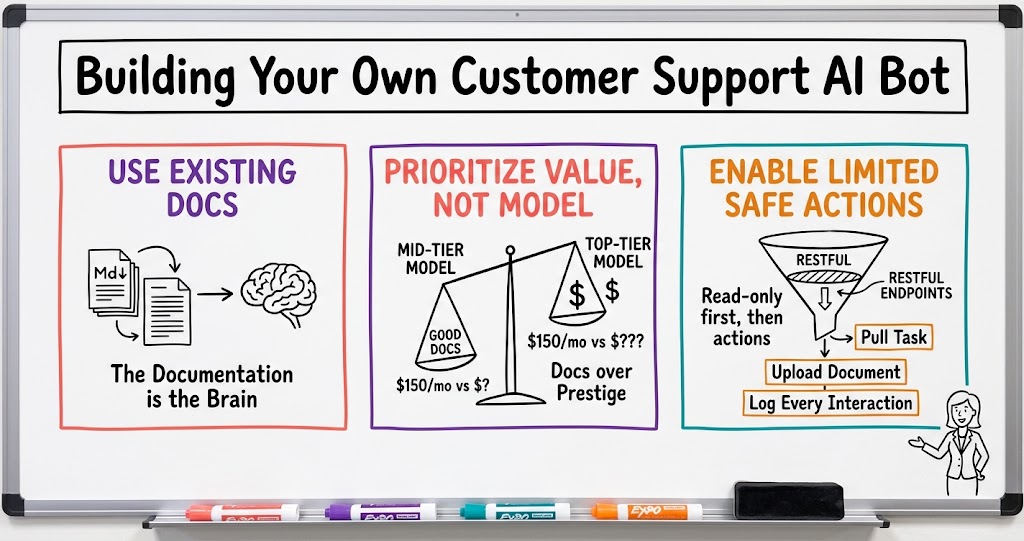
Building Your Own Customer Support AI Bot
A founder's play-by-play of building a custom AI support agent in about a week, including what to train it on, which model to use, what access to give it, and how to keep improving it after launch.

In a recent SaaS founder mastermind, one member walked the group through how he built his product's AI support agent from scratch, and it was one of the more useful how-to conversations I've seen come out of these calls. He didn't hire a team or spend months on it. He had product documentation, a roughly one-week build, and an AI model, and the result has been handling a meaningful share of support conversations that used to go straight to a human.
Start with content you already have
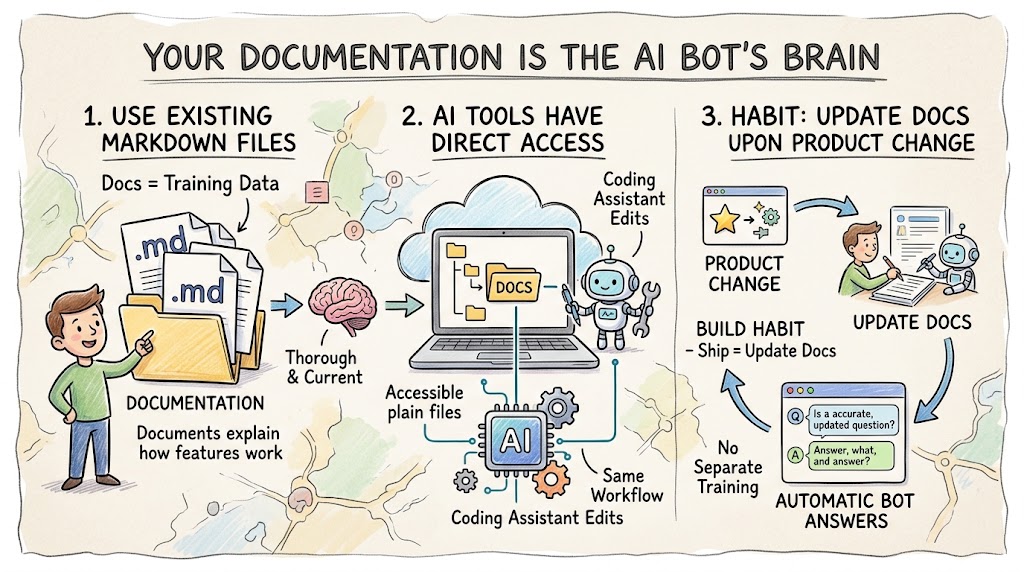
The foundation of his bot isn't some proprietary training process, it's markdown files. He keeps a folder of documentation describing exactly how his product works, deployed alongside the website itself, and that content is what the AI draws from when it answers questions. When the product changes, he tells his AI coding assistant to update the documentation, and the support bot's answers update automatically the next time someone asks a related question. There's no separate training pipeline to maintain. The documentation is the brain.
- Documentation is the training data. If your product docs are thorough and current, you already have most of what a support bot needs to be useful.
- Keep it in one place your AI tools can reach. Storing the docs as plain files your coding assistant can edit directly means updates to the product and updates to support happen in the same workflow.
- Treat every product change as a documentation change. Building the habit of updating docs the moment something ships is what keeps the bot from giving outdated answers.
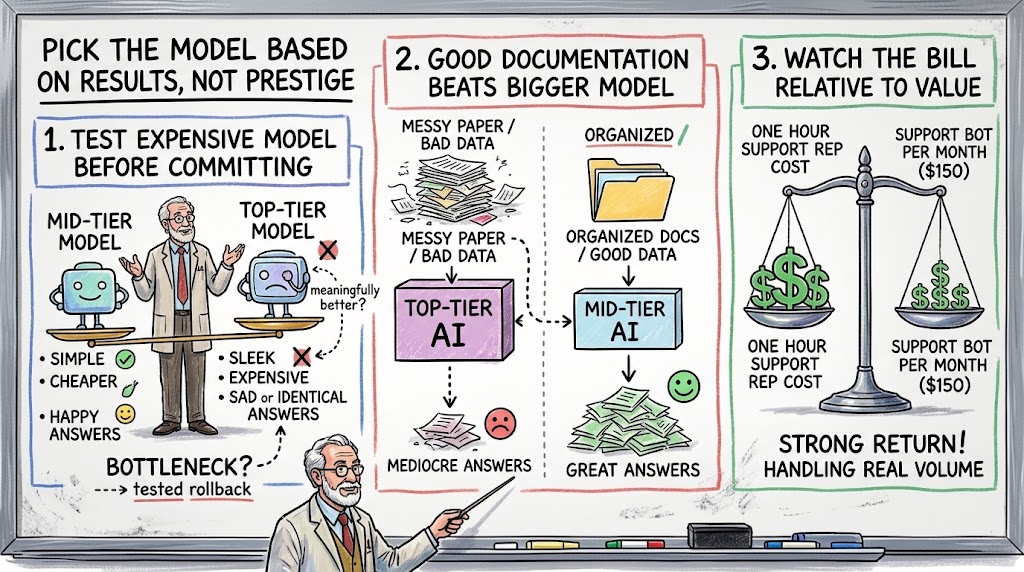
Pick the model based on results, not prestige
It's tempting to assume the most expensive, most capable model is automatically the right choice for something as important as customer support. He tested that assumption directly, upgrading from a mid-tier model to the top-tier one for parts of the bot's workflow, and the upgrade didn't produce meaningfully better answers. The documentation was good enough that the mid-tier model handled it fine. He rolled the whole system back to the cheaper option and it's been running there since, at roughly $150 a month even with heavy usage.
- Test the expensive model before committing to it. A step up in model quality only matters if your current model is actually the bottleneck.
- Good documentation beats a bigger model. The quality of what you feed the AI usually matters more than which specific model is doing the reasoning.
- Watch the bill relative to the value. A support bot costing less than a single hour of a support rep's time, per month, is a strong return if it's handling real conversation volume.
Give it a narrow, safe set of actions
The instinct when you first get a bot talking to customers is to be cautious about what it can touch, and that instinct is correct. His bot has no direct database or SQL access at all. Instead, it can call the same RESTful endpoints the website itself already uses, which means it can only do things a logged-in user could already do through the interface. If a customer asks the bot to pull up a specific task and recommend changes, the bot calls the endpoint, reads the result, and responds, the same way a person clicking around the app would. Recently he extended this further so customers can upload a document and ask the bot to build something from it, and the bot can now perform that limited task on its own.
- Route actions through existing endpoints, not raw data access. If the bot can only do what the interface already allows, you've capped the blast radius of any mistake it makes.
- Start read-only, add actions gradually. Answering questions came first; task execution came months later, once the read-only version had proven reliable.
- Log every interaction. Every conversation, including token usage, gets written to a database table, which makes it possible to spot which customers are using it heavily and where it's struggling.
Build in the honest handoff
A support bot that pretends to have an answer it doesn't have is worse than no bot at all. He solved this by putting his team's actual contact information directly into the bot's knowledge base, along with instructions to hand off explicitly when a question falls outside what it can help with. When it hits that wall, it tells the customer plainly that this is outside what it can handle and gives them the number or email to reach a real person. It doesn't route the conversation automatically, the customer picks up the phone themselves, but the instruction to hand off, and how to do it, lives right there in what the bot was trained on.
- Put your contact info in the bot's brain, not just your website. The handoff only works if the bot actually knows how to tell someone where to go next.
- Make the limitation explicit. A bot that says 'this is outside what I can help with' builds more trust over time than one that stretches to answer anyway.
- Accept that some customers will still call you. The win here is getting the easy questions handled without a person, not eliminating human contact altogether.
Treat launch as the starting line, not the finish
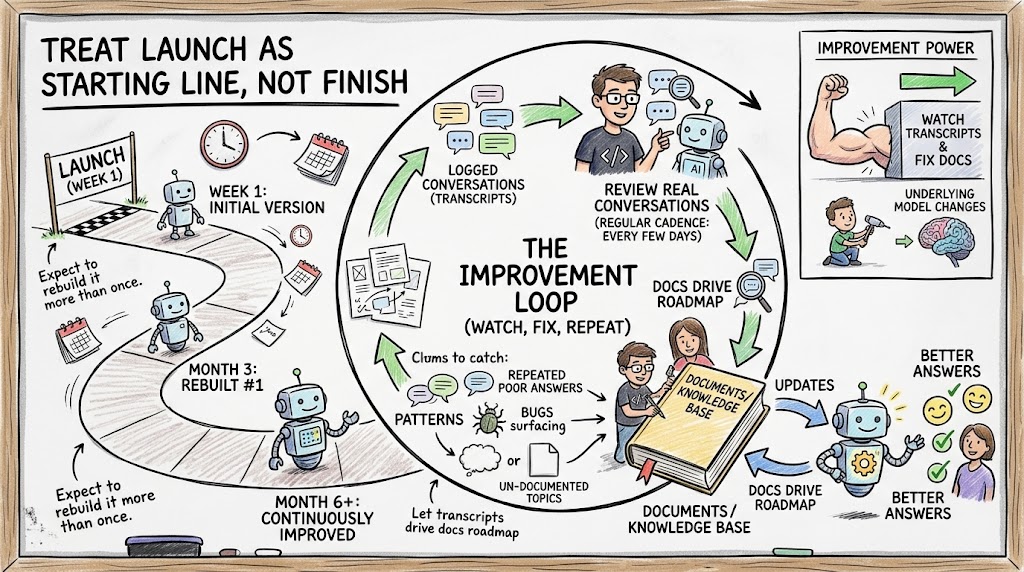
The bot has been live for around six months and has already been rebuilt more than once. Every few days, he has his AI coding assistant review the logged conversations looking for patterns: repeated questions the bot handled poorly, bugs the conversations surfaced, or topics customers keep asking about that the documentation doesn't cover well. Each of those findings turns into an update to the documentation, and the next customer who asks a similar question gets a better answer. That loop, watch the transcripts, fix the docs, repeat, is doing more to improve the bot at this point than any change to the underlying model.
- Review real conversations on a regular cadence. A few days between reviews is often enough to catch patterns before they become widespread frustration.
- Let the transcripts drive your documentation roadmap. The questions customers actually ask are a better source of truth than guessing what needs to be documented.
- Expect to rebuild it more than once. The version that launches in week one is not the version still running six months later, and that's the point.
Learning from teams doing this at a different scale
Two other founders on the same call are building AI support in a different way, and comparing the approaches is useful. One connected his AI agent directly to his product through an internal protocol called MCP, which lets the AI take real action inside the app rather than just answering questions about it. If a customer says they want to write an email sequence, the agent can draft the campaign itself and show, with a visible cursor moving across the screen, exactly how it did it. It's still in beta and admittedly slow right now, but the direction is the same one the markdown-and-endpoints build is headed toward: less explaining, more doing.
- Different builds, same trajectory. Whether you start with documentation and read-only endpoints or an MCP-based action layer, the destination is a bot that does things, not just describes them.
- Slow is an acceptable place to start. A visibly slow but functional agentic feature in beta is still more valuable than a fast one that can't take any real action.
- Showing your work builds trust. Letting the customer watch the AI click through the interface, rather than just returning a final answer, makes the automation feel less like a black box.
A little personality goes further than expected
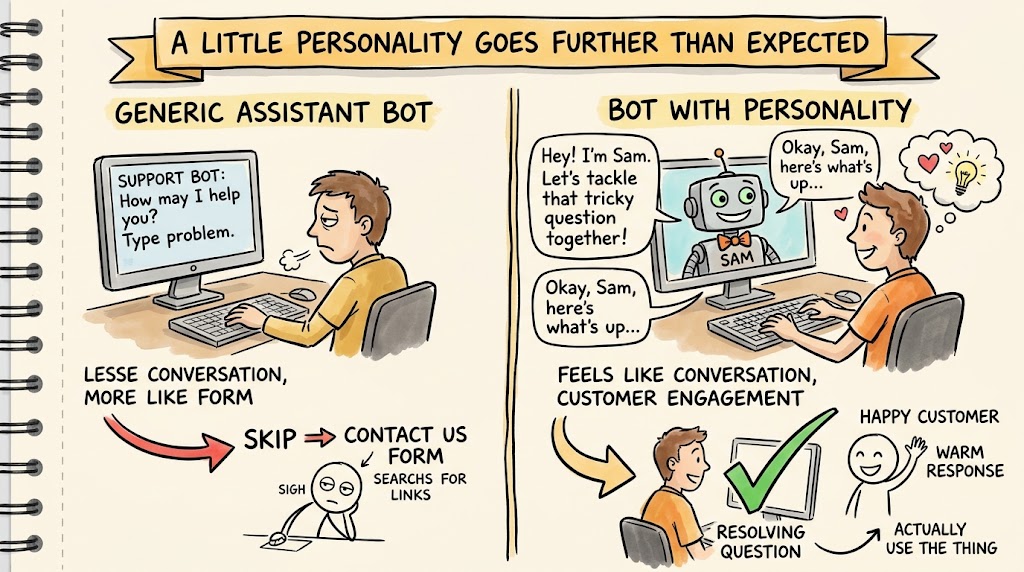
One small detail worth mentioning: he gave the bot a name and a bit of character rather than leaving it as a generic assistant. Customers have responded to it warmly, in some cases preferring to work through a tricky question with the bot before ever escalating to a human, which he chalks up partly to the personality making it feel less like filling out a support form and more like a conversation. It's a small design choice, but it's one more reason customers actually use the thing instead of skipping past it to find a contact form.
What to actually copy from this
None of this required a large engineering team or a long roadmap. The build described on the call started with content the founder already had, used a model that was good enough rather than the most expensive one available, and shipped in about a week. The sophistication came later, gradually, as he watched real conversations and decided what to add next. That order matters more than people expect: founders who try to design the perfect, fully agentic support bot before launch tend to spend months building something nobody has tested against a real customer question yet.
- Ship the simple version first. A documentation-trained bot that answers questions well is a complete, useful product on its own, not just a stepping stone.
- Let real usage tell you what to build next. The RESTful endpoint actions, the document upload feature, and the personality all came after launch, driven by what customers actually asked for.
- Budget for iteration, not just the initial build. The ongoing cost isn't just the monthly AI bill, it's the recurring time spent reviewing conversations and updating the documentation behind them.
If you're weighing whether to build a support bot yourself versus bolting one onto an existing helpdesk platform, the case for building it in-house comes down to this: you already know your product better than any third-party tool ever will, and a bot wired directly into your own endpoints can do things a generic platform can't. It takes real work to get right, but as this build shows, it doesn't have to take a big team or a big budget to get started.