
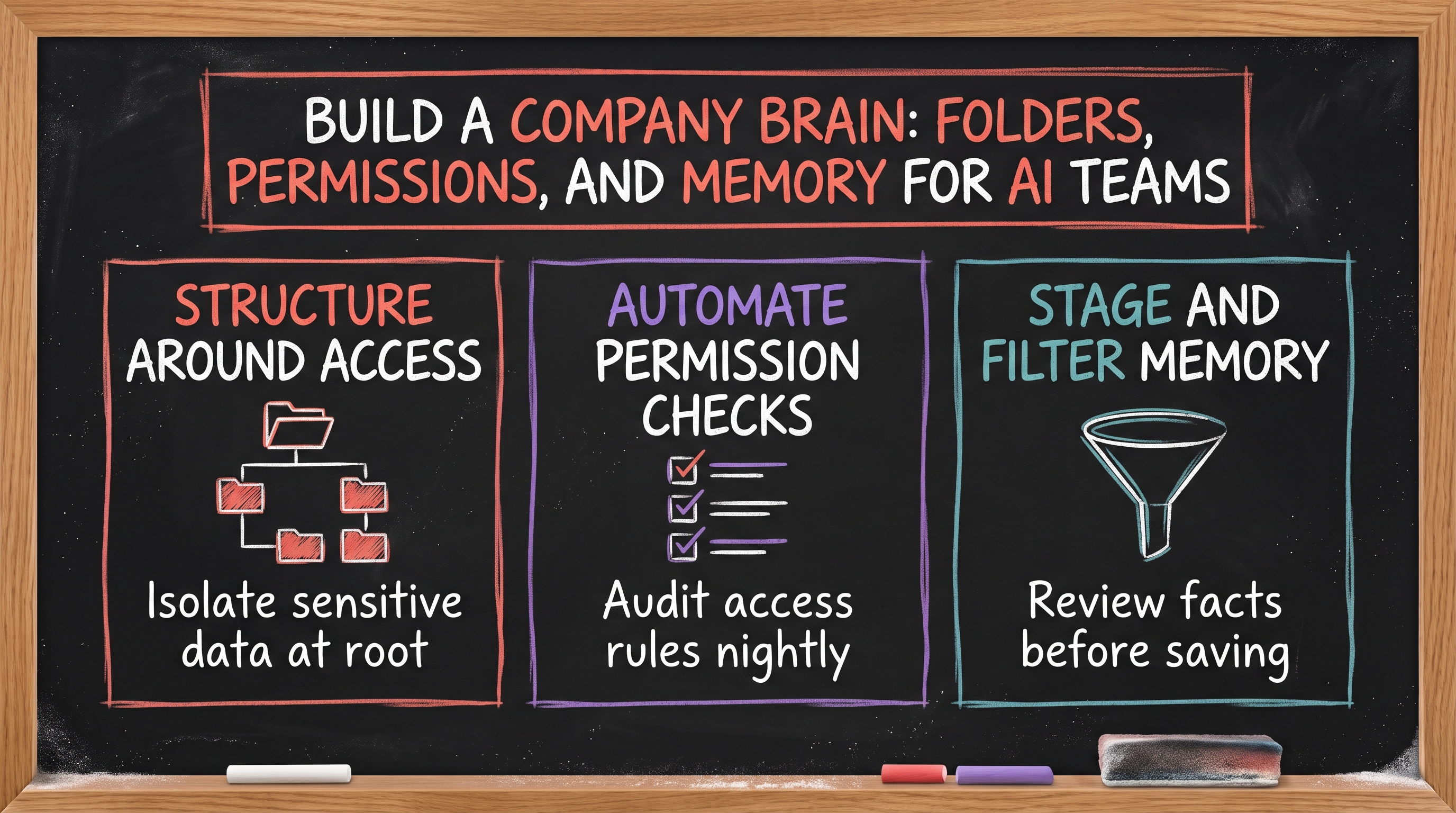
Build a Company Brain: Folders, Permissions, and Memory for AI Teams
Teams are filling shared folders with files written for AI to read, and the hard part is deciding who can see what. Here are practical patterns for structure, access, meeting summaries, and memory.

Most of the SaaS CEOs I talk to are running a dozen AI projects at once. They have call transcripts piling up, instructions living in individual chats, and a growing sense that all of it should be organized into a company brain: a shared set of files that every person's AI assistant can read. A founder on our enterprise call asked for best practices on exactly that. He wanted to know what folders to create, which files matter, and how employees should use the whole thing.
The group answered with real setups, and I want to walk through the best ideas. The common thread is that the structure and the permissions matter at least as much as the AI.
Start with a folder structure built around access
The founder asking the question had already separated his technical material, which lives in a code repository, from his business development material, since different people touch each. For business development he was planning folders for people and company profiles, ICP and sales material, training and onboarding, and content creation. The goal is to let his team point their AI assistants at the same instructions, so drafting emails, newsletters, and outreach becomes repeatable. As he described it, a teammate who felt each email had to be personal could instead have her assistant read the shared instructions, draft everything, and then tweak the drafts before sending.
Another founder shared how his company set up an open-source shared knowledge tool that supports permissions down to the file level. His team learned something useful in the process. They used to keep finance and HR inside department folders, and maintaining no-access rules there became complicated. They moved the most sensitive areas, finance, HR, and leadership, to the top level, and gave everyone a standard access template when they join.
- Keep sensitive folders at the root. Finance, HR, and leadership are easier to protect when they sit apart from department folders.
- Use a standard template. Every new person gets the same default, with edit access only to their own department.
- Give everyone a personal output folder. With around thirty employees, each person sees only their own, so confidential work with an AI assistant lands somewhere private.
- Separate code from business material. Different audiences and different review needs call for different homes.
The personal output folder was my favorite idea, since it removes a risk most teams do not think about until something leaks: AI-generated work has to be saved somewhere, and the default location should be private.
Repeatable work is where this pays off first. Once the instructions live in a shared file, a task like drafting outreach to a list of contacts stops depending on one person's prompt-writing skill. Everyone points their assistant at the same file, the assistant reads their email and the contact profiles, and a set of drafts appears for review. The founder described the aim as turning a lot of business development into something close to a scheduled job, with a human still approving what goes out.
- Write the instruction once. A single file describes tone, offer, and rules, and every teammate benefits from improvements.
- Keep a human approval step. Drafts are reviewed and tweaked before anything is sent.
- Start with one workflow. Pick outreach, newsletters, or content briefs, get it working, then add the next.
Audit permissions every night
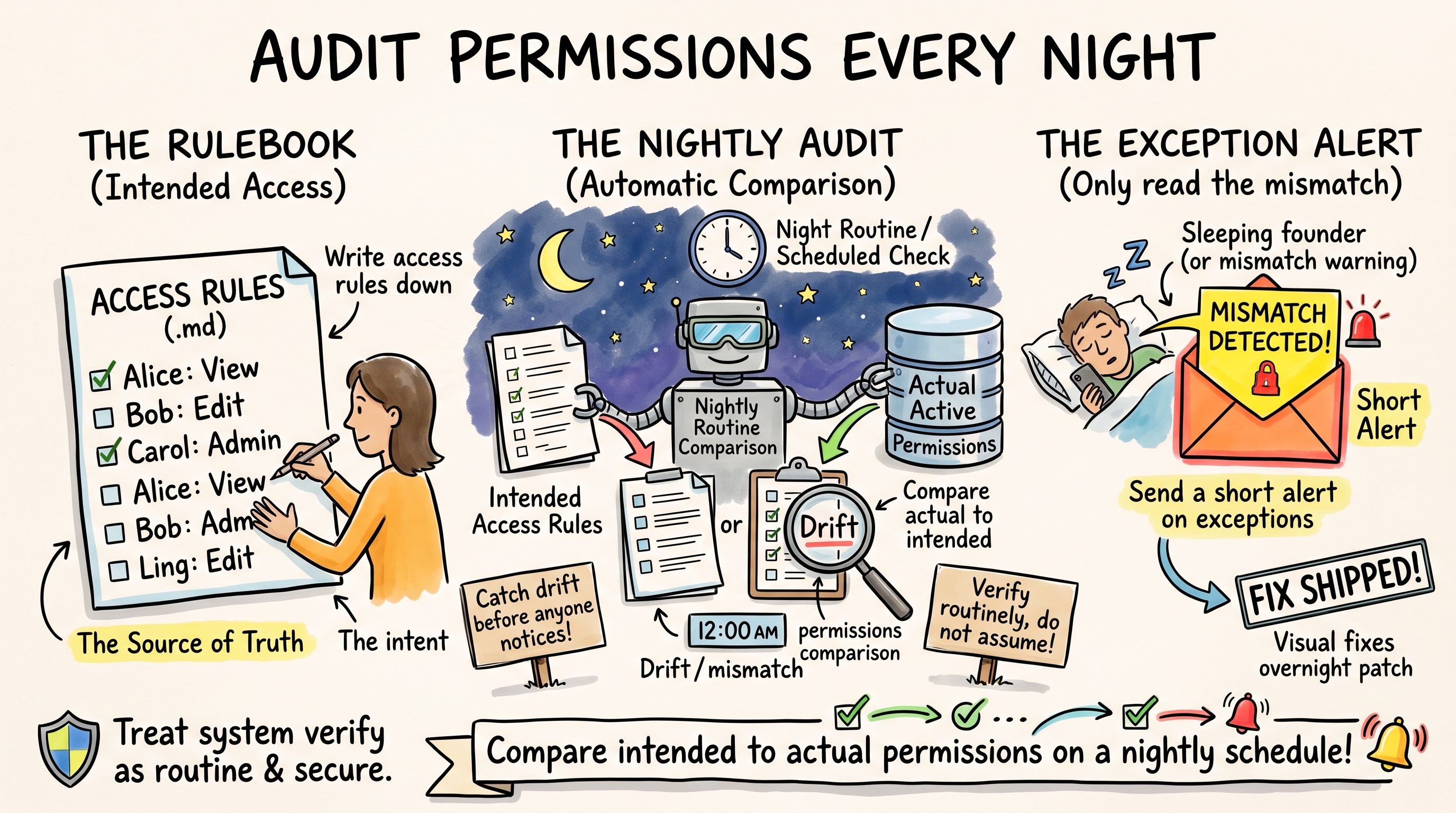
The same founder pointed out that this tool is new, and he ran into a few bugs, including one early permissions problem that his team caught themselves before anyone noticed. The tool's maker responded within a few hours and shipped fixes overnight, which he found reassuring. Still, he did not want to rely on luck. Every person's intended access is written in a markdown file. Each night, a scheduled routine uses the tool's integration to read everyone's actual permissions, compares them to the file, and emails him if anything differs.
- Write access rules down. A plain text file with who should see what becomes the source of truth.
- Compare actual to intended. A scheduled check catches drift that no one would notice by hand.
- Send a short alert. An email on any mismatch means the owner only reads the exceptions.
I like this approach because it treats AI infrastructure like any other system that holds sensitive data. You verify it routinely and you do not assume it is working.
Turn meetings into memory, with a review window
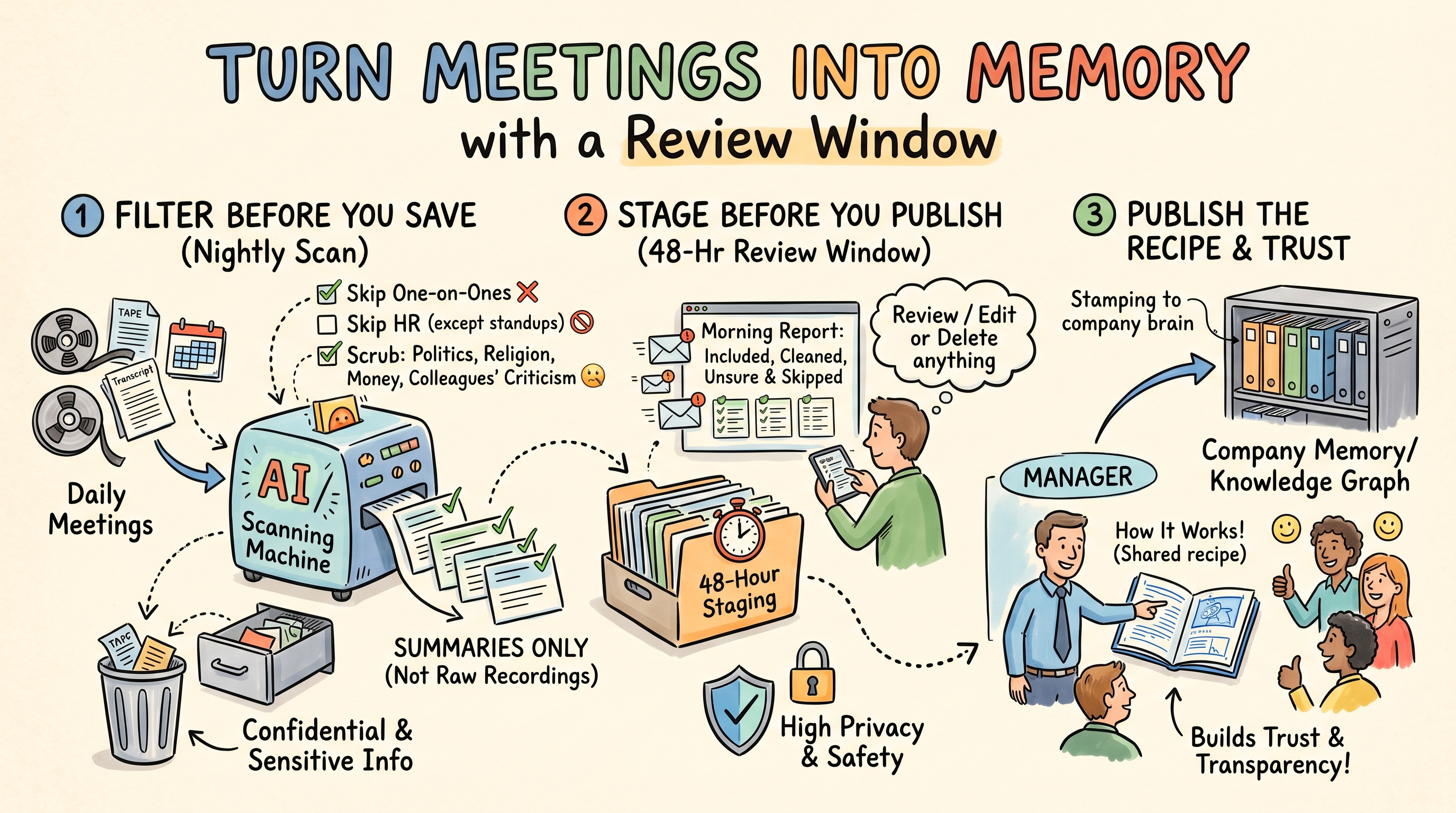
Meeting transcripts are the richest input for a company brain, and also the riskiest. The same founder built a nightly process that goes through his meetings and applies rules. It skips anything with one-on-one in the title, skips meetings that include the HR person except the company stand-up, and removes passages where people discuss religion, politics, money, confidential topics, or criticism of a colleague. What remains goes to a private staging folder for 48 hours. Each morning he receives an email listing what was taken, what was cleaned out, which meetings were skipped by rule, and which were skipped because the system was unsure.
After 48 hours, if he has not edited or deleted anything, the summary is stamped into the shared meetings folder, which is the start of a knowledge graph. He now runs this for everyone in the company, and he published the recipe as a public file so every employee can read exactly how it works. That transparency was deliberate. People are more comfortable with a system when they can see its rules.
- Filter before you save. Exclude one-on-ones and sensitive topics by rule, not by memory.
- Stage before you publish. A 48-hour window lets each person fix or remove anything.
- Send a morning report. A clear summary of what was included, cleaned, and skipped builds trust.
- Publish the recipe. Make the rules readable by everyone on the team.
Notice that the process stores summaries and not raw recordings. A summary is easier to search, easier to review, and carries far less risk than a full transcript.
Think in memory lanes and facts
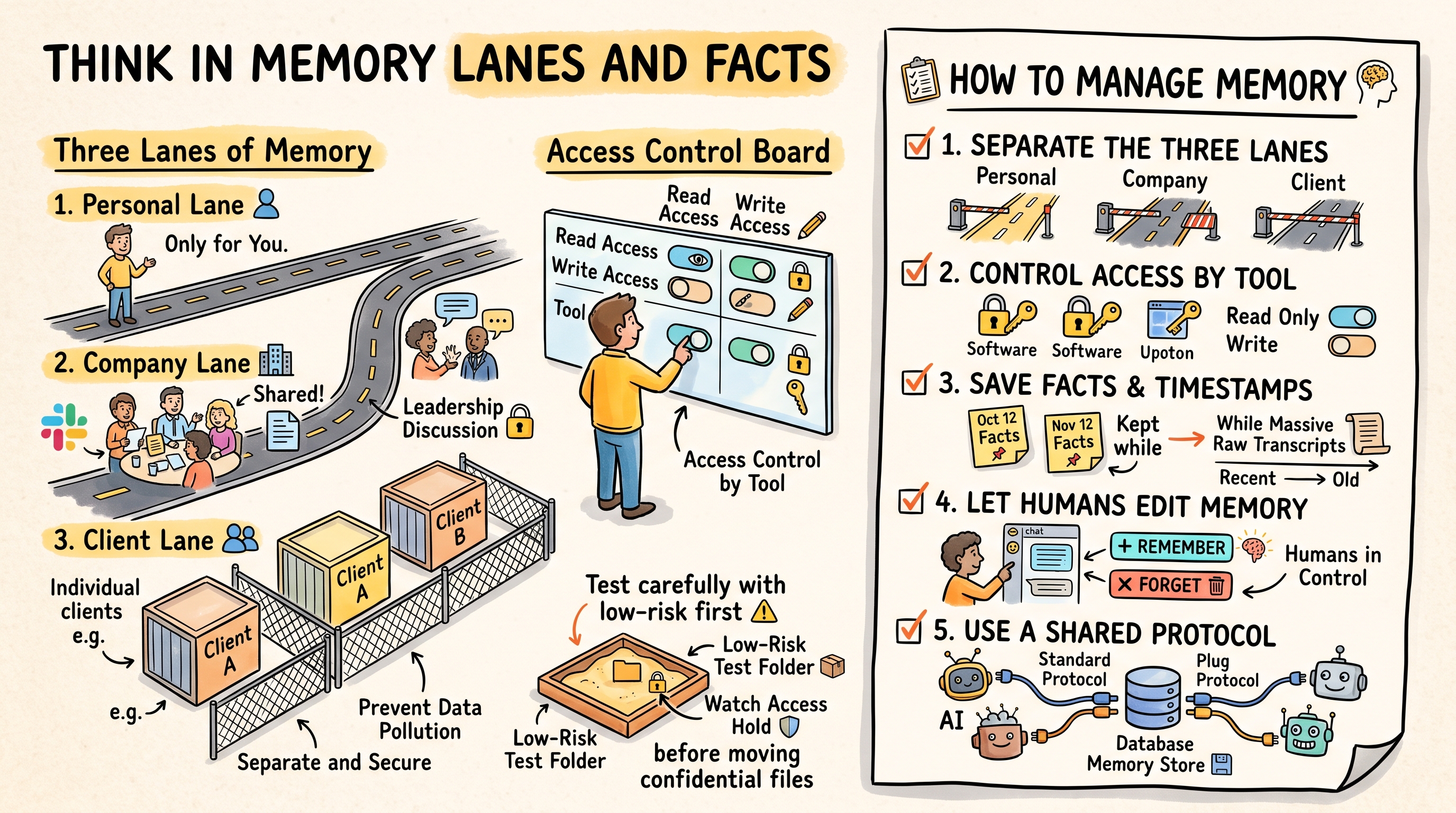
A founder who runs a marketing and community business described a similar system built on three lanes of memory: personal, company, and client. Personal memory belongs to one person. Company memory is shared. Client memory holds the contacts and context for each client, kept separate so that data from one client does not pollute another, and so that people only see the clients they work on. On top of that, he caps access by tool, deciding whether each person gets read access or write access to each connected system, and maps Slack channels so that leadership discussions stay in the leadership lane.
His team also stores facts and not entire transcripts. A fact has a date, and older facts can be treated as less relevant. A sidebar chat lets any user tell the system what to remember and what to forget. Another founder uses a database-backed memory service that any AI agent can connect to through a standard protocol, so a hundred different tools can push and pull from one store. The agent decides what to save, based on instructions about what to filter and embed. For our own company, we use the brain built into our CRM, which has been useful over the last month and a half though it lacks the fine-grained permissions the others described.
- Separate personal, company, and client memory. Each lane has its own audience and its own risks.
- Control access by tool. Decide who can read and who can write in every connected system.
- Save facts and timestamps. Summaries age better than transcripts, and old facts can be down-weighted.
- Let people edit memory. A simple remember and forget command keeps humans in control.
- Use a shared protocol. A standard connection lets many AI tools use the same memory.
One more point on tooling. The people on this call were all early with different products, and none of them claimed to have found the final answer. The permissions in some tools are strong and in others still thin, and a couple of the products are brand new open-source projects with a few rough edges. That is a reasonable tradeoff if you test carefully with low-risk material first and move confidential folders in only after you have watched the access rules hold for a while.
A starting plan for your team
If you are building this from scratch, I would not try to do everything at once. Begin with a small shared folder for business development, write the instructions your best person already follows, and let two or three teammates run their assistants against it. Add the access template and the personal output folders before you add anything sensitive. Once the basics work, add the nightly permission check, then the meeting pipeline with its review window. Each step is small, and each one makes the next safer.
The companies that get this right will have an advantage that is hard to copy, because a well-organized body of company knowledge compounds with every meeting, every client, and every lesson. The sooner you start collecting it carefully, the sooner your whole team benefits.